Nano Banana 2 Prompts for Creative & Experimental Work: Unlock Your Artistic Vision
Master Nano Banana 2 prompts for creative and experimental art. Learn techniques for abstract art, surrealism, concept art, and artistic experimentation with practical examples.

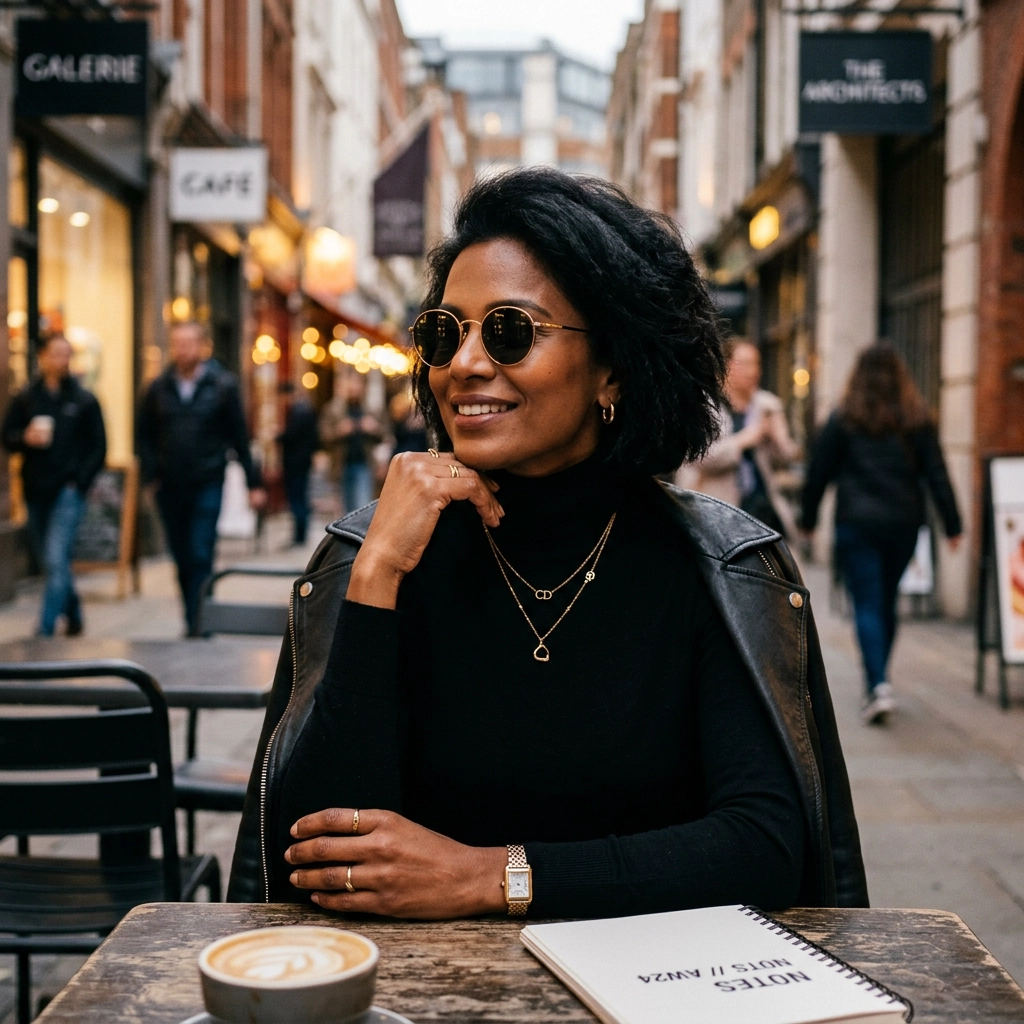
Creative and experimental work demands a different approach to AI image generation. Unlike commercial or editorial use cases where clarity and precision dominate, artistic experimentation thrives on ambiguity, mood, and intentional unpredictability.
Nano Banana 2 handles this balance well. Its web grounding provides visual reference points, while its reasoning capability interprets abstract concepts and emotional direction. This guide shows you how to write prompts that push creative boundaries while maintaining intentional control.
Why Nano Banana 2 for Creative Work
Nano Banana 2 brings specific capabilities that matter for artistic experimentation:
Conceptual interpretation — The model's reasoning mode processes abstract concepts, emotional direction, and artistic movements effectively. You can reference styles like "abstract expressionism" or "surrealism" and get coherent visual interpretations.
Style flexibility — From photorealistic to highly stylized, the model adapts to different artistic directions without requiring extensive prompt engineering.
High-resolution output — 4K upscaling preserves fine details in textures, brushstrokes, and complex compositions—critical for print work and portfolio pieces.
Fast iteration — Flash-tier speed means you can generate dozens of variations quickly, essential for exploring ideas and finding the right aesthetic.
For artists, designers, and creative professionals, these features translate to faster exploration and more reliable artistic output.
Core Principles for Creative Prompts
Creative prompting differs from commercial work. Instead of describing what you see, you describe what you feel and what you want to evoke.
1. Lead with Concept or Mood
Start with the emotional or conceptual core of the image.
Examples:
- "A sense of isolation and vastness"
- "The feeling of nostalgia mixed with uncertainty"
- "Chaos transforming into order"
This gives the model an interpretive direction before visual details.
2. Reference Artistic Movements or Styles
Art history provides a shared visual language. Use it.
Examples:
- "Abstract expressionism"
- "Surrealist dreamscape"
- "Bauhaus geometric design"
- "Art nouveau organic forms"
- "Cyberpunk aesthetic"
These references guide style without over-specifying.
3. Balance Control and Emergence
Creative work benefits from controlled randomness. Specify key elements, but leave room for unexpected results.
Tight control:
A red sphere floating above a blue plane, minimalist composition, single light source from left, clean shadows
Loose control:
Floating geometric forms in an abstract space, cool color palette, sense of weightlessness, minimalist aesthetic
The second prompt invites variation while maintaining direction.
4. Use Constraints Creatively
Constraints aren't just about avoiding mistakes—they shape aesthetic choices.
Examples:
- "Limited to three colors"
- "No recognizable objects"
- "Symmetrical composition"
- "Avoid hard edges"
Constraints focus creative energy and often produce stronger results.
Prompt Templates by Creative Style
Abstract Art
Goal: Non-representational imagery focused on color, form, and composition.
Template:
[Emotional concept], [artistic movement or style], [color palette], [compositional approach], [texture or technique], avoid recognizable objects, [aspect ratio].
Example:
The tension between chaos and order, abstract expressionism, bold contrasting colors with deep reds and blacks, dynamic asymmetrical composition, textured brushstroke appearance, avoid recognizable objects, high resolution, 16:9.

This works because it prioritizes concept and style over literal description.
Surrealism and Dreamscapes
Goal: Impossible or dreamlike imagery that challenges reality.
Template:
[Impossible scenario or juxtaposition], [dreamlike or surreal quality], [atmospheric elements], [artistic style], [mood], avoid literal realism, [aspect ratio].
Example:
Floating islands suspended in a pastel sky, impossible architecture with gravity-defying structures, soft ethereal lighting with glowing edges, dreamlike digital painting style, sense of wonder and tranquility, avoid literal realism, high resolution, 16:9.

Concept Art and Fantasy
Goal: Imaginative environments and worlds for storytelling or world-building.
Template:
[Environment or setting], [fantastical elements], [mood or atmosphere], [lighting], [artistic style], [level of detail], no characters unless specified, [aspect ratio].
Example:
Mystical forest with bioluminescent plants and glowing mushrooms, ancient twisted trees with exposed roots, ethereal fog drifting through the scene, soft magical lighting in blues and purples, fantasy illustration style, rich environmental detail, no characters, cinematic composition, 16:9.

Minimalist and Geometric Art
Goal: Clean, intentional compositions using simple forms and limited elements.
Template:
[Geometric elements], [compositional structure], [limited color palette], [negative space approach], [style], precise and clean, no texture unless specified, [aspect ratio].
Example:
Intersecting geometric shapes with clean lines, balanced asymmetrical composition, limited palette of black, white, and single accent color, intentional use of negative space, modern minimalist design aesthetic, precise and clean, no texture, high resolution, 1:1.

Retro and Nostalgic Aesthetics
Goal: Imagery that evokes specific time periods or nostalgic feelings.
Template:
[Subject or scene], [era or aesthetic reference], [color grading or palette], [stylistic elements from period], [mood], [composition], [aspect ratio].
Example:
Retro futurism landscape, 1980s vision of the future, synthwave aesthetic with geometric forms, sunset gradient background in vibrant pinks and purples, nostalgic sci-fi style, chrome and neon elements, clean composition, no text, high resolution, 16:9.

Watercolor and Painterly Styles
Goal: Soft, organic imagery with traditional media aesthetics.
Template:
[Subject or abstract concept], watercolor or [painting medium] style, [color approach], [texture and technique], [compositional flow], soft edges, painterly quality, [aspect ratio].
Example:
Abstract landscape suggestion with flowing colors, watercolor style with soft gradients, pastel and vibrant colors blending organically, loose brushwork with visible color bleeding, horizontal flow suggesting horizon, soft edges throughout, painterly quality, no hard lines, high resolution, 16:9.

Advanced Techniques for Experimentation
Emotional Direction
Instead of describing visuals, describe feelings and let the model interpret.
Example:
The feeling of being overwhelmed by information, visual representation of anxiety and overstimulation, chaotic composition with fragmented elements, harsh contrasting colors, digital glitch aesthetic, intentional visual noise, no clear focal point, 16:9.
This approach produces more authentic emotional imagery than literal descriptions.
Combining Contradictions
Creative tension comes from juxtaposition. Combine opposing concepts deliberately.
Examples:
- "Organic forms with mechanical precision"
- "Chaotic composition with perfect symmetry"
- "Soft pastel colors with aggressive brushstrokes"
- "Minimalist design with maximum emotional impact"
These contradictions force the model to find creative solutions.
Iterative Refinement
Creative work benefits from iteration. Start loose, then refine.
First iteration:
Abstract representation of time, flowing forms, cool color palette, sense of movement
Second iteration (after seeing results):
Abstract representation of time as spiraling forms, flowing curves with directional movement from left to right, cool blues and purples with hints of warm orange, sense of continuous motion, smooth gradients, 16:9
Each iteration adds specificity based on what worked.
Using Reference Images
Nano Banana 2 supports up to 14 reference objects for consistency. For creative work, use references to:
- Maintain color palette across a series
- Keep stylistic consistency in multiple pieces
- Reference specific textures or forms
- Build visual continuity in a project
Upload reference images alongside your prompt for more controlled experimentation.
Common Creative Prompting Mistakes
Over-Describing
❌ Wrong: "An abstract painting with exactly 7 red circles, 3 blue triangles, positioned at specific coordinates, with precise color values RGB(255,0,0)"
✅ Right: "Abstract geometric composition with circular and triangular forms, bold red and blue color palette, balanced asymmetrical arrangement"
Over-specification kills emergence. Leave room for the model to interpret.
Mixing Incompatible Styles
❌ Wrong: "Photorealistic abstract expressionism"
✅ Right: "Abstract expressionism with realistic texture and depth" OR "Photorealistic rendering of abstract forms"
Be clear about which element gets which treatment.
Ignoring Composition
❌ Wrong: "Colorful abstract art"
✅ Right: "Colorful abstract art with strong diagonal composition, dynamic movement from lower left to upper right"
Composition guides the eye and creates visual interest.
Forgetting Technical Specs
❌ Wrong: "Surreal landscape"
✅ Right: "Surreal landscape, high resolution, 16:9, sharp detail, professional quality"
Technical specs ensure output quality matches creative vision.
Workflow for Creative Projects
Step 1: Define Creative Intent
Before writing prompts, clarify:
- What emotion or concept are you exploring?
- What style or aesthetic fits this concept?
- What constraints will focus the work?
- What aspect ratio and resolution do you need?
Step 2: Write Loose Initial Prompts
Start with conceptual prompts that leave room for interpretation.
Sense of isolation in vast space, minimalist aesthetic, cool color palette, abstract composition
Generate 3-5 variations to see how the model interprets your concept.
Step 3: Refine Based on Results
Identify what works and add specificity.
- If colors are right but composition is weak, add compositional direction
- If style is close but too literal, add "avoid realism" or similar constraints
- If mood is off, adjust emotional descriptors
Step 4: Create Series or Variations
Once you find a direction, create variations:
- Change color palette while keeping composition
- Maintain style but shift mood
- Keep concept but try different artistic movements
Step 5: Upscale and Finalize
For portfolio or print work, generate at 4K resolution. Review at full size to ensure quality meets your standards.
Practical Use Cases
Portfolio Development
Generate exploratory work to develop your artistic voice. Use Nano Banana 2 to test concepts quickly before committing to traditional media.
Mood Boards and Concept Development
Create visual references for client projects, film concepts, or game design. Generate multiple aesthetic directions in minutes.
Album Art and Music Visuals
Produce abstract or conceptual imagery that matches musical mood and genre. Fast iteration lets you explore many directions.
Personal Art Projects
Experiment with styles and concepts without material costs. Use AI generation as a creative tool alongside traditional methods.
Social Media Content
Create distinctive visual content for artist accounts. Maintain consistent aesthetic across posts using reference images.
Resolution and Format Recommendations
Portfolio prints: 4K, 16:9 or 4:3, WebP for digital, convert to TIFF for print
Social media: 2K, 1:1 for Instagram feed, 9:16 for Stories/Reels
Concept art: 4K, 16:9, high detail for client presentations
Experimental work: 2K for speed, upscale favorites to 4K
Series work: Consistent aspect ratio across pieces, 2K or 4K depending on final use
FAQ
Can Nano Banana 2 generate truly abstract art?
Yes. The model interprets abstract concepts effectively when you emphasize mood, style, and composition over literal subjects. Use phrases like "avoid recognizable objects" to push toward pure abstraction.
How do I maintain consistency across a series?
Use reference images to maintain color palette, style, or specific elements. Upload 1-3 reference images alongside your prompt to guide consistency while allowing variation.
Should I use minimal or high thinking mode for creative work?
Use minimal thinking for straightforward stylistic work and fast iteration. Use high thinking for complex conceptual pieces, multi-layered compositions, or when combining contradictory elements.
Can I combine multiple artistic styles?
Yes, but be specific about how they combine. Instead of "impressionism and cubism," try "cubist geometric forms rendered with impressionist color and brushwork."
How do I avoid generic results?
Add specific constraints, reference particular artistic movements, include emotional direction, and use compositional guidance. Generic prompts produce generic results.
What if results are too literal?
Add phrases like "abstract interpretation," "stylized," "avoid photorealism," or "artistic representation" to push away from literal rendering.
Final Thoughts
Creative and experimental work with Nano Banana 2 requires a different mindset than commercial applications. Lead with concept and emotion, reference artistic traditions, balance control with emergence, and iterate based on results.
The model works best when you give it interpretive direction rather than literal description. Think like an art director briefing an artist, not a photographer describing a scene.
Start with loose conceptual prompts, generate variations, refine based on what resonates, and build series around successful directions. The combination of fast iteration and high-quality output makes Nano Banana 2 a practical tool for serious creative work.
Try Nano Banana 2 and explore your artistic vision with structured experimentation.
Try it yourself on Vofy
Generate AI images and videos with the best models - all in one studio.
Discover More
 Priya Sharma•
Photo to 3D Model with AI: A Practical Guide
Turn a photo into a polished 3D-style model image with Vofy. Learn which photos work best, how to generate, and how to fix common results.

 Alex Harper•
How to Make AI Football Fan Videos From One Photo
Make AI football fan videos from one photo with a fictional Spain goal celebration and an optional Japanese street-interview companion clip.
Nano Banana 2
Nano Banana 2 combines Pro-level image quality with Gemini Flash speed — advanced world knowledge, subject consistency across 5 characters, precise text rendering and translation, and 4K output from 512px, all powered by real-time web search.