25 Seedream 5.0 Pro Prompts for Infographics and Posters
Copy 25 Seedream 5.0 Pro prompts for clear infographics, event posters, menus, reports, and multilingual visual designs.

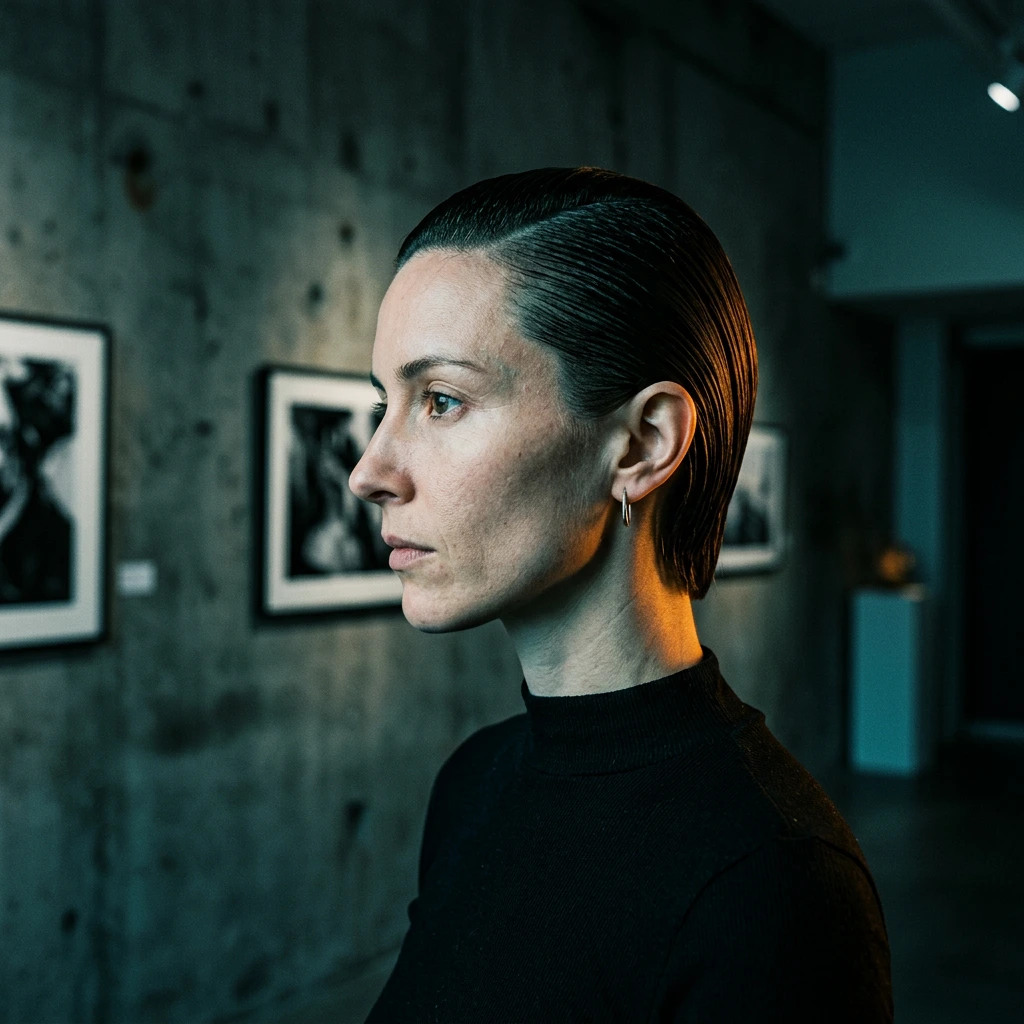
Seedream 5.0 Pro prompts for infographics and posters work better when they read like layout specifications, not mood descriptions. "Make a modern climate infographic" leaves the model to invent the data, hierarchy, text, and reading order. A stronger prompt supplies the final copy, assigns every block to a zone, and limits the design to a small visual system. The GPT Image 2 prompt guide applies the same brief-first principle to a different model; the examples below adapt it to information-heavy Seedream designs.
The 25 prompts below are complete briefs with exact sample content. They are designed to generate finished examples without adding text, assembling panels, or extending backgrounds afterward. Generated text still needs inspection before publication: image models can misspell a word or alter a number, even when the prompt is precise. This guide reflects Seedream 5.0 Pro and Vofy controls available as of August 11, 2026.
TL;DR
- Start with the deliverable, audience, aspect ratio, and reading distance.
- Supply exact words and numbers; never ask the model to invent facts.
- Describe hierarchy as zones: title, focal visual, evidence, and footer.
- Keep typography to two families and the palette to three or four colors.
- End with strict delivery rules: one finished image, no mockup, no extra copy, no watermark.
In this guide, we call the reusable order Purpose, Canvas, Content, Hierarchy, Visual System, Constraints, Delivery the Layout Lock framework. Use it to write a new brief or diagnose a weak result.
1. Why Most Infographic and Poster Prompts Underdeliver
Information design fails when the prompt does not distinguish content from decoration. A model may produce an attractive chart with invented values, a timeline with duplicated years, or a poster whose smallest line carries the main message. Exact content is the first control layer. If a statistic is illustrative rather than sourced, label it "SAMPLE DATA" inside the image so the result cannot be mistaken for a factual report.
The second failure is conflicting hierarchy. Asking for "many detailed sections" and "minimal design" does not tell the model what a viewer should notice first. Name one dominant element, two or three supporting blocks, and a quiet margin. For a phone-first poster, a headline must survive thumbnail size; for a report graphic, labels must remain readable at article width.
The third failure is treating typography as a style adjective. "Elegant text" does not define wording, case, weight, contrast, or alignment. Quote every visible line, assign it a role, and explicitly forbid additional text. Seedream's official Seedream 5.0 Pro page emphasizes text rendering and complex information visualization, but those capabilities still depend on a clear brief and a careful output check.
2. The Layout Lock Prompt Framework
This guide's Layout Lock framework turns a broad visual idea into seven reviewable decisions. It is especially useful for posters and infographics because every layer has a visible pass-or-fail condition.
| Layer | What to specify | Review question |
|---|---|---|
| Purpose | Asset, audience, placement | Is the result suited to its destination? |
| Canvas | Aspect ratio, orientation, safe margin | Does the composition fit without cropping? |
| Content | Exact copy, numbers, labels, icons | Is every requested fact present and unchanged? |
| Hierarchy | Dominant, secondary, and footer zones | Is the reading order obvious at a glance? |
| Visual system | Type, palette, illustration, grid | Does the asset feel like one design system? |
| Constraints | Copy and elements to exclude | Did the model avoid invented content? |
| Delivery | One flat finished image | Can the file be used without assembly? |

Write the prompt in that order. Content should come before stylistic adjectives because a polished wrong number is still a failed infographic. For accessibility, keep critical text on a solid or quiet background and check the final colors against the W3C contrast guidance when the asset will carry essential information.
Aspect ratio is a layout decision, not a final setting to add at random. Use 1:1 for feed cards and compact explainers, 4:3 for article-width diagrams, 3:4 or 2:3 for posters, 16:9 for presentations and banners, and 9:16 for full-screen stories. Set the same ratio in the generation interface and in the prompt.
3. 25 Copy-Ready Seedream 5.0 Pro Prompts
Every example below contains final sample copy and a fixed composition. You can generate it as written for a portfolio or article example. To adapt one for a real campaign, replace the quoted copy and data before generation rather than editing the rendered image later.
3.1 Business and Data Infographics
1. Quarterly subscription dashboard — 1:1
Create one finished square business infographic titled "Q2 SUBSCRIPTION SNAPSHOT" with a small badge "SAMPLE DATA". Use a clean 12-column grid. Place the main metric "12,480 ACTIVE MEMBERS" in the upper left. Show three supporting cards: "78% MONTHLY", "22% ANNUAL", and "4.6% CHURN". Add a simple three-bar chart labeled "APR 3,840", "MAY 4,110", "JUN 4,530". Navy, white, mint, and coral palette; bold grotesk headings; tabular numerals; high contrast; generous margins. One flat publication-ready image. No extra numbers, words, logos, watermark, mockup, or 3D chart.
Expected direction: a compact executive summary with one dominant metric and a clean secondary chart.

2. Marketing funnel report — 4:3
Create one finished landscape infographic titled "CAMPAIGN FUNNEL" with the subtitle "SAMPLE DATA — 30 DAY VIEW". Build four connected horizontal stages from left to right: "120K IMPRESSIONS", "18K VISITS", "3,600 SIGN-UPS", "720 CUSTOMERS". Place these three conversion labels beneath the three transitions between stages, exactly once each: "15% CTR", "20% VISIT TO SIGN-UP", "20% SIGN-UP TO CUSTOMER". Use progressively narrower geometric blocks, not a 3D funnel. White background, charcoal text, cobalt, teal, and amber accents, editorial SaaS report style, crisp arrows, ample spacing. One complete image; no invented metrics, extra copy, logo, watermark, or device frame.
Expected direction: a readable left-to-right conversion story that works at article width.
3. Small-business cash-flow overview — 3:4
Create one finished vertical financial infographic titled "A SIMPLE CASH-FLOW MONTH" and mark it "ILLUSTRATIVE EXAMPLE". Show three stacked sections: "MONEY IN $18,400" with "Sales $15,200" and "Services $3,200"; "MONEY OUT $13,900" with "Stock $5,100", "Rent $3,200", "Payroll $4,800", "Other $800"; and "NET CASH +$4,500" as the dominant closing figure. Use flat horizontal bars with lengths matching the values. Deep green, cream, black, and one red expense accent; friendly editorial typography; no currency symbols beyond those specified. One flat final infographic, no extra categories, decimals, logos, watermark, mockup, or decorative coins.
Expected direction: an approachable financial explainer whose bar lengths support the printed values.
4. Customer research matrix — 16:9
Create one finished wide research infographic titled "WHAT CUSTOMERS VALUE" with a small label "SAMPLE INTERVIEWS". Divide the canvas into a precise two-by-two matrix. Columns: "HIGH FREQUENCY" and "LOW FREQUENCY". Rows: "HIGH IMPACT" and "LOW IMPACT". Place five color-coded cards exactly: "FAST SETUP" top left, "CLEAR PRICING" top left, "TEAM EXPORTS" top right, "DARK MODE" bottom left, "CUSTOM ICONS" bottom right. Add a short footer: "PRIORITIZE HIGH-IMPACT NEEDS". Off-white background, charcoal grid, cobalt and coral cards, Swiss editorial style. No extra cards, quotes, icons, logos, watermark, or presentation mockup.
Expected direction: a workshop-ready prioritization matrix with unambiguous quadrants.
5. Annual impact report — 2:3
Create one finished vertical nonprofit impact infographic titled "ONE YEAR OF LOCAL ACTION" and label all figures "SAMPLE DATA". Feature "8,400 MEALS SHARED" as the main number. Add three supporting statistics: "1,260 VOLUNTEER HOURS", "38 COMMUNITY EVENTS", "12 PARTNER SCHOOLS". Use a simple illustrated neighborhood map with one community center, three homes, a school, trees, and walking routes; do not add place names. Forest green, sunflower yellow, brick red, cream, and black; warm screen-print texture; bold condensed headings; strong contrast. One complete poster-infographic, no extra statistics, donation claim, logo, watermark, border, or mockup.
Expected direction: a human, credible annual summary without implying that the sample figures are real.
3.2 Educational and Process Infographics
6. Photosynthesis classroom explainer — 4:3
Create one finished landscape classroom infographic titled "HOW PHOTOSYNTHESIS WORKS". Center one accurate green plant in a cutaway soil pot. Use four numbered steps with exact text: "1 LIGHT", "2 WATER", "3 CARBON DIOXIDE", "4 GLUCOSE + OXYGEN". Draw clear arrows: sunlight to leaves, water from soil to roots, carbon dioxide into leaves, oxygen out of leaves. Add the formula "6CO2 + 6H2O -> C6H12O6 + 6O2" once along the bottom. Botanical textbook illustration, white background, leaf green, sky blue, golden yellow, charcoal labels. One flat complete image; no extra formula, misspelled labels, faces, logo, watermark, or classroom mockup.
Expected direction: a scientifically organized school graphic with a single visual pathway.
7. Cybersecurity checklist — 3:4
Create one finished vertical infographic titled "5 STEPS TO A SAFER ACCOUNT". Arrange five large numbered rows with one simple icon and exact copy: "1 USE A PASSWORD MANAGER", "2 TURN ON TWO-FACTOR AUTHENTICATION", "3 CHECK LINKS BEFORE OPENING", "4 UPDATE DEVICES", "5 REPORT SUSPICIOUS ACTIVITY". Put the footer "PAUSE. CHECK. PROTECT." in a solid dark band. Midnight blue, electric cyan, white, and lime accent; crisp vector editorial style; large text readable on a phone; consistent icon weight. One complete image, no additional advice, fake interface, QR code, logos, watermark, gradients, or tiny text.
Expected direction: a direct safety poster that remains readable from a mobile preview.
8. Product launch timeline — 16:9
Create one finished wide timeline infographic titled "FROM IDEA TO LAUNCH". Build one horizontal line with five evenly spaced milestones and exact labels: "WEEK 1 RESEARCH", "WEEK 2 CONCEPT", "WEEK 3 PROTOTYPE", "WEEK 4 TEST", "WEEK 5 LAUNCH". Give each milestone one distinct icon: magnifying glass, pencil, cube prototype, check sheet, rising flag. Add the footer "ONE DECISION GATE PER WEEK". White background, charcoal type, cobalt line, coral milestone circles, mint highlights, disciplined editorial product-design style. One flat final image; no extra weeks, dates, arrows, people, logos, watermark, presentation frame, or 3D icons.
Expected direction: a presentation-ready process map with five equal stages and no invented dates.

9. Coffee brewing comparison — 1:1
Create one finished square comparison infographic titled "CHOOSE YOUR COFFEE METHOD". Use three equal vertical columns: "POUR OVER", "FRENCH PRESS", "MOKA POT". Under each, show exact rows: "TIME 3-4 MIN / BODY LIGHT / GRIND MEDIUM-FINE"; "TIME 4 MIN / BODY FULL / GRIND COARSE"; "TIME 5 MIN / BODY RICH / GRIND FINE". Include one accurate flat illustration of each brewer above its labels. Warm cream background, espresso brown, cobalt blue, tomato red, restrained mid-century editorial style, strong grid. One complete image; no extra brewing advice, beans as text markers, brand logos, watermark, café mockup, or illegible microcopy.
Expected direction: a balanced three-way comparison that can stand alone in an article or social post.
10. Emergency kit diagram — 4:3
Create one finished landscape starter-list infographic titled "72-HOUR HOME KIT". Add a visible badge "EXAMPLE STARTER LIST". Show one open storage box in the center with eight clearly separated illustrated items around it, each labeled exactly once: "WATER", "FOOD", "FLASHLIGHT", "RADIO", "BATTERIES", "FIRST AID", "MEDICINE", "DOCUMENTS". Connect each label with a thin leader line that does not cross another line. Add a bottom note: "CHECK LOCAL GUIDANCE / REVIEW EVERY SIX MONTHS". Clean public-information illustration, pale gray background, navy, safety orange, white, and muted green; accessible contrast. One flat complete image; no extra items, quantities, government logo, watermark, room scene, or mockup.
Expected direction: a calm preparedness graphic with eight instantly recognizable objects.
3.3 Event, Culture, and Editorial Posters
11. Architecture lecture poster — 2:3
Create one finished vertical event poster for a fictional lecture. Exact copy: headline "BUILDING WITH SHADE"; subhead "A TALK ON CLIMATE AND FORM"; details "18 SEPTEMBER / 19:00 / HALL B"; footer "NORTHLINE DESIGN FORUM". Use one dramatic abstract architectural model casting a precise diagonal shadow across an off-white field. Set the headline in bold black grotesk type, left aligned; place details in a compact cobalt block near the bottom. Black, off-white, cobalt, and one coral accent; Swiss modernist composition; generous negative space. One complete poster, no extra text, logo, people, watermark, paper texture, frame, wall mockup, or crop marks.
Expected direction: a gallery-quality lecture poster with one strong spatial idea.
12. Jazz night poster — 3:4
Create one finished vertical music poster with exact text: "LATE SET" as the dominant headline, "JAZZ AT ROOM 12", "FRIDAY 22:30", and "MIRA COLE QUARTET". Feature a fictional saxophonist in side profile as a single high-contrast cobalt-and-black screen-print silhouette. Use a red circle behind the instrument and subtle cream paper grain generated as part of the image. Typography: condensed uppercase, staggered but fully readable, no letters crossing the face or instrument. Cobalt, black, cream, and red only. One complete poster; no extra performers, sponsor names, ticket price, logos, watermark, frame, wall, hands holding poster, or torn edges.
Expected direction: an energetic club poster whose date, venue, and performer remain easy to scan.

13. Independent film poster — 2:3
Create one finished vertical poster for a fictional film titled "THE LAST SIGNAL". Show a lone radio tower on a salt flat at dusk, centered low in the frame, with one narrow red signal line crossing the dark blue sky. Exact text: title "THE LAST SIGNAL" in the upper third; tagline "SOME MESSAGES ARRIVE TOO LATE" below; footer "A FILM BY ELI MORROW". Cinematic photographic realism, restrained grain, deep navy, mineral gray, and signal red, small precise typography, strong negative space. One complete poster; no actor names, review quotes, laurels, credits block, logo, watermark, border, frame, or mockup.
Expected direction: a minimal cinematic poster that feels finished without a fabricated billing block.
14. Museum exhibition poster — 3:4
Create one finished vertical museum poster with exact text: "FORM / FIBER / LIGHT", "TEXTILE FUTURES", "04 OCT-12 JAN", and "EAST GALLERY". Build the main visual from one sculptural woven ribbon twisting through soft directional light; show detailed fibers and a clean shadow on a pale gray background. Place the title in the upper left and event details in the lower right. Elegant contemporary art direction, black typography, violet textile, pale gray, and acid green accent; spacious grid. One flat final poster; no extra dates, artist names, museum logo, barcode, QR code, watermark, frame, wall scene, or cropped words.
Expected direction: a refined cultural poster with tactile material detail and disciplined typography.
15. Community book fair poster — 9:16
Create one finished full-screen vertical poster with exact text: "BOOKS IN THE PARK", "SUNDAY 10:00-16:00", "RIVER GARDENS", and "FREE ENTRY". Illustrate an open book whose pages become three leafy trees, with two small benches and a red picnic blanket below. Keep the title in the clear upper quarter, event details centered in the lower third, and the free-entry badge near the bottom. Friendly cut-paper illustration, sky blue, leaf green, warm yellow, red, and cream, large accessible type. One complete image; no extra copy, people, sponsor logos, QR code, watermark, phone mockup, or border.
Expected direction: a cheerful story-format community poster ready for social publishing.
3.4 Product, Food, and Service Posters
16. Sparkling water launch poster — 3:4
Create one finished vertical product poster for a fictional drink. Exact copy: headline "BRIGHT BY NATURE", product line "LUMA SPARKLING WATER", flavor "YUZU + LIME", and badge "ZERO SUGAR". Center one slim matte-silver can with a yellow circle and green diagonal stripe; keep all packaging text limited to "LUMA" and "YUZU + LIME". Place the can on wet dark stone with controlled condensation and a thin rim light. Deep green, citrus yellow, silver, and white; premium studio photography; headline in upper left. One complete poster; no extra cans, fruit attached to packaging, nutrition claims, logo mutation, invented words, watermark, frame, or mockup.
Expected direction: a polished beverage campaign image with restrained, inspectable package copy.
17. Bakery menu poster — 2:3
Create one finished vertical café menu poster titled "MORNING BAKES". Show four products in a clean two-by-two grid with one accurate pastry illustration and exact name and price below each: "BUTTER CROISSANT $4", "CARDAMOM BUN $5", "LEMON TART $6", "COUNTRY LOAF $8". Add footer "BAKED DAILY / 7:00-12:00". Warm cream background, dark brown typography, butter yellow and raspberry accents, refined hand-inked food illustration, consistent spacing, prices aligned. One flat final menu; no other products, ingredients, currency, logo, QR code, watermark, tabletop scene, frame, or mockup.
Expected direction: a complete small menu that needs no later typesetting.

18. Skincare benefit poster — 1:1
Create one finished square skincare poster for a fictional serum. Exact copy: "CALM + BARRIER", "NORI CERAMIDE SERUM", "FRAGRANCE FREE", and "30 ML". Place one frosted cylindrical bottle slightly right of center on pale limestone, with a small sea-green label reading only "NORI". Use a translucent leaf shadow and soft cool daylight. Put the headline in the left half with clear space around every line; supporting copy below it in smaller sans serif. Sea green, mineral gray, white, and black; realistic premium product photography. One complete image; no extra claims, ingredients, duplicated bottle, flowers, logo change, watermark, frame, or website mockup.
Expected direction: a restrained feed-ready product visual with exact, minimal claims.
19. Coworking day-pass poster — 3:4
Create one finished vertical service poster with exact copy: "A DESK FOR THE DAY", "DAY PASS $18", "WIFI / COFFEE / PHONE BOOTHS", and "MON-FRI 8:00-18:00". Show a bright contemporary desk near a tall window, one red task lamp, one green chair, a closed notebook, and no people. Reserve the upper left for the headline; place the price in a bold cobalt circle; align amenities along the bottom. Warm daylight photography with crisp editorial overlays, white, cobalt, tomato red, green, and charcoal. One complete poster; no address, booking link, QR code, logo, laptop screen text, watermark, frame, or mockup.
Expected direction: a practical local-service ad with the offer and inclusions visible in one glance.
20. Farmers' market produce poster — 2:3
Create one finished vertical market poster with exact copy: "SATURDAY HARVEST", "FARMERS' MARKET", "8:00-13:00", and "CENTRAL SQUARE". Arrange tomatoes, carrots, purple cabbage, pears, herbs, and one striped squash as a bold overhead still life forming a loose circle around the clear center title. Use natural food photography with direct morning light and crisp shadows. Tomato red, leaf green, purple, golden yellow, and off-white type; friendly bold sans serif. One complete poster; no prices, extra produce labels, people, tote bag, sponsor logo, QR code, watermark, frame, or mockup.
Expected direction: a vivid market announcement that uses real-looking produce as the visual border.
3.5 Public Information and Localized Posters
21. Library wayfinding poster — 3:4
Create one finished vertical public-information poster titled "FIND YOUR FLOOR". Show five stacked color bands with exact labels and arrows: "5 QUIET STUDY", "4 RESEARCH", "3 BOOKS", "2 CHILDREN", "1 WELCOME DESK". Keep floor numbers large on the left and one consistent upward arrow on the right. Add footer "LIFTS + STAIRS AHEAD". White background, black text, cobalt, green, yellow, coral, and violet bands; accessible high-contrast wayfinding design; large geometric sans serif. One flat final poster; no extra floors, room numbers, icons, library logo, map, QR code, watermark, wall scene, frame, or mockup.
Expected direction: a simple sign system that can be evaluated for order, contrast, and legibility.
22. Bilingual neighborhood cleanup poster — 2:3
Create one finished vertical bilingual community poster. Use exactly this copy: "CLEAN BLOCK DAY"; "DÍA DE LIMPIEZA DEL VECINDARIO"; "SAT / SÁB 09:00"; "MEET AT OAK PARK / PUNTO DE ENCUENTRO: OAK PARK"; and "GLOVES PROVIDED / GUANTES INCLUIDOS". Show two illustrated gloved hands lifting one green leaf above a simple street grid. Pair each English line directly with its Spanish line at equal visual weight. Forest green, sky blue, safety orange, cream, and charcoal; friendly civic vector style; high contrast. One complete poster; no additional translation, altered diacritics, sponsor logos, QR code, watermark, frame, or mockup.
Expected direction: a balanced bilingual announcement rather than a primary language with a tiny translation.

23. Heat safety infographic — 4:3
Create one finished landscape public-health infographic titled "STAY SAFE IN EXTREME HEAT". Use four equal illustrated panels with exact headings and short copy: "DRINK WATER / EVEN IF NOT THIRSTY"; "FIND SHADE / REST OFTEN"; "CHECK OTHERS / CALL OR VISIT"; "GET HELP / CONFUSION IS AN EMERGENCY". Add footer "ADD LOCAL EMERGENCY NUMBER BEFORE USE" and a visible label "EXAMPLE TEMPLATE". Use simple diverse fictional figures, clear sun and water icons, white background, navy, orange, cyan, and green; high-contrast public-information style. One complete image; no medical diagnosis, extra symptoms, government logo, watermark, mockup, or tiny disclaimer.
Expected direction: an editable concept rendered as a finished example, clearly marked to prevent accidental real-world use.
24. Recycling guide — 4:3
Create one finished landscape infographic titled "SORT IT RIGHT". Divide the canvas into three equal bins with exact labels: "PAPER", "CONTAINERS", "LANDFILL". Under PAPER show a cardboard box, newspaper, and paper bag. Under CONTAINERS show one glass jar, aluminum can, and rigid plastic bottle. Under LANDFILL show a broken ceramic cup, food-soiled napkin, and foam tray. Add footer "EMPTY / CLEAN / DRY" and badge "CHECK LOCAL RULES". White background, blue, green, dark gray, and safety yellow; clear vector objects; strong separation. One complete image; no recycling codes, extra objects, municipality logo, watermark, room scene, or mockup.
Expected direction: an immediately understandable sorting guide with a built-in local-rules caveat.
25. Conference schedule poster — 9:16
Create one finished full-screen vertical schedule poster with exact copy: "DESIGN SYSTEMS DAY", "STUDIO HALL / 14 NOV", then four time blocks: "09:30 OPENING", "10:00 TOKENS", "11:30 ACCESSIBILITY", "14:00 COMPONENTS", and footer "DOORS 09:00". Use a strict modular grid with the time large on the left and session title on the right. Include one abstract red square that changes position in each row to create rhythm. Black, warm white, cobalt, and red; bold neo-grotesk typography; crisp high contrast. One complete poster; no speaker names, extra sessions, sponsors, QR code, logo, watermark, phone frame, or mockup.
Expected direction: a mobile schedule whose information hierarchy is part of the visual identity.
4. Run and Review the Prompts in Vofy
Open the Seedream 5.0 Pro model page or go directly to Seedream 5.0 Pro in Vofy Studio, paste one prompt without shortening it, and choose the ratio printed beside the example. The current Vofy configuration supports 1:1, 4:3, 3:4, 16:9, 9:16, 3:2, 2:3, and 21:9, with 1K or 2K output as of August 11, 2026. Use 2K for article images and poster details, then check the generated file at full size.
Review content before aesthetics. Compare every word, number, symbol, and sequence against the prompt; then inspect hierarchy, alignment, contrast, object count, and edge safety. If the text is wrong, regenerate with the exact copy moved earlier in the prompt and reduce the number of text blocks. Do not repair a wrong statistic by painting over it, because that hides a prompt or model failure and makes later variants harder to reproduce.
For broader model context, see the Nano Banana 2 vs Seedream 5 comparison. For another model-specific approach to exact content and composition, the Nano Banana 2 prompt guide provides additional patterns to test rather than assuming one syntax transfers unchanged.
5. Troubleshooting When the Layout Looks Wrong
When the output is attractive but unreadable, reduce content density before adding more typography instructions. Keep one headline, one supporting line, and three to five data blocks. Move essential copy onto solid shapes or quiet background zones and forbid text over detailed photography. A second font family rarely fixes weak hierarchy.
When numbers or labels drift, isolate them in a dedicated Exact content clause near the start. State "print each line exactly once" and forbid additional numbers. For sequences such as steps, floors, dates, and times, repeat the required order in one line. If one item remains wrong after a controlled retry, reject the output rather than silently presenting it as a successful text-rendering example.
When the model produces a poster mockup instead of the poster, close with: "one flat finished image filling the canvas; no wall, frame, paper sheet, hands, device, perspective view, crop marks, or mockup." When it creates a collage, replace "show several examples" with a single integrated composition and name the exact number of panels or objects. The delivery clause is part of the design brief, not cleanup language.
When a source image is involved, give it one role. Image 1 may define product geometry, Image 2 the palette, and Image 3 the layout rhythm. State which source wins when they conflict and which details must remain unchanged. The same reference-mapping principle appears in the GPT Image 2 prompt guide, but every final image still needs model-specific review.
6. Conclusion
The strongest Seedream 5.0 Pro infographic and poster prompts behave like finished briefs: they contain the copy, data, layout, visual system, exclusions, and delivery format. More adjectives do not compensate for missing information architecture. Start with one of the 25 examples, change the content before generation, and keep the output flat and complete so the result can move directly into its intended placement after a spelling and data check.
FAQ
What is the best prompt structure for Seedream 5.0 Pro posters?
Use Purpose, Canvas, Content, Hierarchy, Visual System, Constraints, Delivery. Put exact copy and numbers before style, assign each text block to a zone, and end by requesting one flat finished image with no extra text or mockup.
Which aspect ratio should I use for an infographic?
Use 1:1 for social cards, 4:3 for article and classroom graphics, and 16:9 for presentation slides or banners. Vertical 3:4 and 2:3 work well for print-style posters, while 9:16 suits full-screen stories and schedule cards.
Can Seedream 5.0 Pro generate final text inside a poster?
It can render text as part of the image, and its official positioning includes text-heavy and multilingual design. It does not guarantee perfect spelling or number accuracy. Quote the final copy, keep it concise, and compare every character with the brief before publishing.
Should I ask the model to invent statistics for an infographic?
No. Supply sourced figures or clearly mark illustrative numbers as "SAMPLE DATA" or "ILLUSTRATIVE EXAMPLE." An attractive chart with invented data is not suitable for reporting, education, health, finance, or public information.
How do I get a poster instead of a photo of a poster?
End the prompt with a delivery clause that requests one flat image filling the canvas. Explicitly exclude walls, frames, paper sheets, hands, devices, perspective views, and mockups.
Do these examples need post-production?
They are written to generate complete images with final sample copy and composition. No compositing, text overlay, or canvas extension is intended. A failed output should be regenerated or rejected; file conversion, proportional resizing, compression, and color-profile normalization are the only acceptable delivery operations.
Related Reading
Try it yourself on Vofy
Generate AI images and videos with the best models - all in one studio.
Discover More

 Marcus Chen•
Nano Banana 2 vs Seedream 5.0 Lite: Complete Comparison with Real-World Tests
In-depth comparison of Nano Banana 2 and Seedream 5.0 Lite AI image generation models. Real-world test results analyzing speed, quality, cost, and use cases to help you choose the right model.

 Yuki Tanaka•
Nano Banana 2 Prompts: A Complete Guide with Real-World Use Cases
Learn how to write effective Nano Banana 2 prompts with real-world use cases for social media, e-commerce, branding, education, and more. Includes prompt examples and best practices.
Seedream 5.0 Pro
Seedream 5.0 Pro is ByteDance Seed Team's multimodal image creation model for professional design work. It improves image-text alignment, structural coherence, text rendering, visual aesthetics, dense information layouts, precision editing, realistic textures, and multilingual generation.