How to Change Face Expressions with AI (Free Online Tool)
Transform facial expressions instantly with free AI tools. Change photos from sad to happy, neutral to surprised—perfect for content creators and photographers.

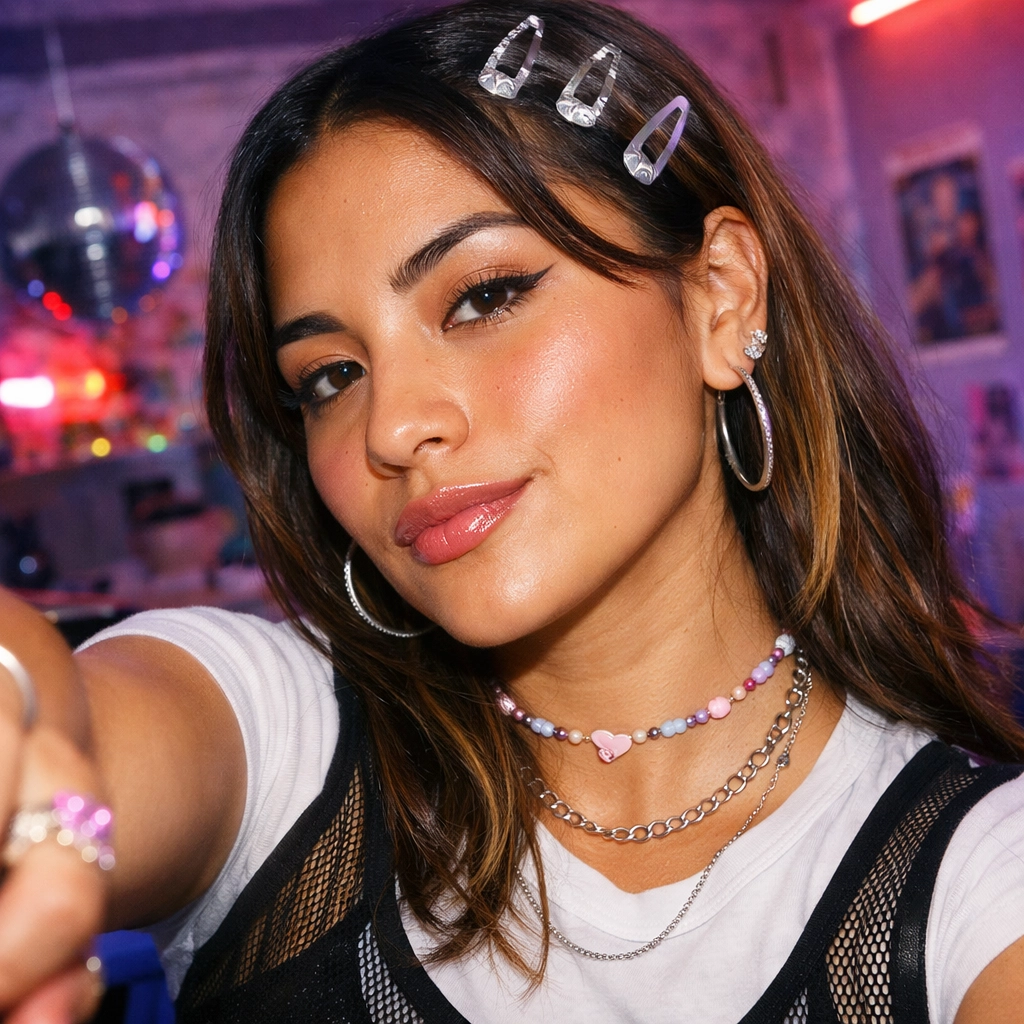
Ever captured the perfect photo except for one thing—the wrong facial expression? Maybe someone blinked, looked too serious, or didn't smile on cue. Traditional photo editing can't fix expressions without looking fake, but AI face expression changers can transform any emotion naturally and realistically.
Upload a photo, and AI instantly changes facial expressions—from sad to happy, neutral to surprised, serious to laughing. The technology analyzes facial features and reconstructs expressions while maintaining the person's unique characteristics and photo quality.
This guide shows you how to change facial expressions using free AI tools, with real examples and tips for natural-looking results.

What Is an AI Face Expression Changer?
An AI face expression changer is a tool that uses artificial intelligence to modify facial expressions in photos. Upload an image, select the desired emotion, and the AI reconstructs facial features—eyes, mouth, eyebrows, and muscle movements—to create a natural-looking expression change.
Unlike basic filters that overlay fake smiles, AI expression changers understand facial anatomy and generate realistic transformations that match the person's unique features, lighting, and photo angle.
Why Change Facial Expressions with AI?
AI expression changing solves common photography problems:
- Fix Awkward Photos - Transform unflattering expressions into natural, appealing ones
- Save Photo Shoots - Rescue otherwise perfect shots ruined by bad timing
- Content Creation - Generate multiple emotional variations from single photos
- Professional Portraits - Ensure clients look their best in every shot
- Creative Projects - Explore emotional storytelling through expression manipulation
For photographers, content creators, and anyone working with portraits, AI expression tools provide creative control impossible with traditional editing.
Popular Facial Expressions to Try
1. Happy & Smiling
Transform neutral or serious faces into genuine smiles. Perfect for professional headshots, family photos, or any image that needs more warmth and positivity.
For a specialized smile transformation, try the AI Smile Filter—it's specifically optimized for creating natural, authentic smiles that match your facial features perfectly.
Happy expression variations:
- Subtle smile with closed mouth
- Full smile showing teeth
- Laughing with open mouth
- Genuine joy with crinkled eyes
2. Sad & Melancholic
Create emotional depth by adding sadness or melancholy. Useful for artistic projects, storytelling, or conveying empathy in visual content.

Sad expression features:
- Downturned mouth corners
- Drooping eyelids
- Furrowed brow
- Distant or unfocused gaze
3. Surprised & Shocked
Add drama and energy with surprised expressions. Great for reaction content, thumbnails, or emphasizing unexpected moments.

Surprised expression elements:
- Wide open eyes
- Raised eyebrows
- Open mouth
- Alert, focused attention
4. Angry & Intense
Create powerful, dramatic portraits with angry or intense expressions. Useful for character photography, editorial content, or conveying strength.

Angry expression characteristics:
- Furrowed, lowered brows
- Intense eye contact
- Tight jaw
- Compressed lips
5. Fearful & Worried
Add vulnerability or tension with fearful expressions. Effective for storytelling, dramatic portraits, or conveying concern.

Fearful expression traits:
- Wide, alert eyes
- Raised inner eyebrows
- Tense facial muscles
- Slightly open mouth
6. Disgusted
Create strong reactions with disgusted expressions. Useful for comedic content, reaction images, or editorial photography.

Disgusted expression features:
- Wrinkled nose
- Raised upper lip
- Narrowed eyes
- Pulled-back head position
7. Neutral & Serious
Convert emotional expressions to neutral or serious looks. Perfect for professional contexts, passport photos, or formal portraits.
Neutral expression qualities:
- Relaxed facial muscles
- Direct gaze
- Closed mouth
- Balanced, symmetrical features
How to Change Facial Expressions with AI
Using the Free AI Face Expression Changer is simple:
Step 1: Upload Your Photo
- Choose a clear, well-lit portrait
- Face should be visible and unobstructed
- Higher resolution produces better results
- Works with selfies, professional photos, or casual snapshots
Step 2: Select Target Expression
- Choose from happy, sad, angry, surprised, fearful, disgusted, or neutral
- Preview different options to find the best fit
- Consider the context and purpose of your image
Step 3: Generate & Download
- AI processes the image (typically 10-30 seconds)
- Review the transformed expression
- Download in high resolution
- Make adjustments if needed

Tips for Natural-Looking Expression Changes
Photo Quality Matters:
- Use high-resolution images (minimum 512x512, ideally 1024x1024+)
- Ensure good lighting without harsh shadows
- Face should occupy significant portion of frame
- Avoid extreme angles or partial face coverage
Choose Appropriate Expressions:
- Match expression intensity to photo context
- Subtle changes often look more natural than dramatic shifts
- Consider original photo's lighting and mood
- Test multiple expressions to find the best match
Maintain Consistency:
- Keep expression changes believable for the setting
- Professional photos work best with subtle adjustments
- Casual photos can handle more dramatic changes
- Consider the story your image tells
Use Cases for AI Expression Changing
Photography & Portraits:
- Fix client expressions in professional shoots
- Create emotional variety from single sessions
- Rescue photos with awkward timing
- Generate portfolio variations
Content Creation:
- Create engaging social media thumbnails
- Develop character expressions for storytelling
- Generate reaction images and memes
- Produce emotional content series
Marketing & Advertising:
- Test different emotional appeals
- Create A/B testing variations
- Match expressions to brand messaging
- Develop diverse campaign assets
Personal Projects:
- Improve family photos
- Create artistic portraits
- Experiment with emotional storytelling
- Fix unflattering expressions in memories
Common Expression Changing Scenarios
Scenario 1: Professional Headshot Improvement You have a great headshot, but you look too serious. Change to a subtle smile for a more approachable professional image.
Scenario 2: Group Photo Rescue Everyone looks perfect except one person who wasn't ready. Change their surprised expression to match the group's happy mood.

Scenario 3: Content Thumbnail Optimization Your video thumbnail needs more energy. Transform a neutral expression to surprised or excited for better click-through rates.
Scenario 4: Artistic Portrait Series Create an emotional journey by generating multiple expression variations from a single portrait—telling a story through facial changes.
Transform Any Expression in Seconds
AI face expression changers make sophisticated emotional transformations accessible to everyone. Fix awkward photos, create content variations, or explore artistic expression—all with professional results in seconds.
The Free AI Face Expression Changer makes it simple: upload a photo, select your desired emotion, and download natural-looking results instantly. No editing skills required, no expensive software—just powerful AI that understands facial anatomy and emotion.
Never let a bad facial expression ruin a perfect photo again.
Try it yourself on Vofy
Generate AI images and videos with the best models - all in one studio.
Discover More

 Priya Sharma•
Photo to 3D Model with AI: A Practical Guide
Turn a photo into a polished 3D-style model image with Vofy. Learn which photos work best, how to generate, and how to fix common results.

 Alex Harper•
How to Make AI Football Fan Videos From One Photo
Make AI football fan videos from one photo with a fictional Spain goal celebration and an optional Japanese street-interview companion clip.

 Lucas Andersson•
How to Make a Printable Coloring Page From a Photo
Make a printable coloring page from a photo with open fill areas, age-appropriate detail, and lines that stay clear after a real test print.