Nano Banana 2 Prompts for Social Media: Go Viral Fast
Use this Nano Banana 2 prompt guide for Instagram, TikTok, and X. Create AI celebrity photos, stylized outfits, clean text visuals, and viral posts fast.

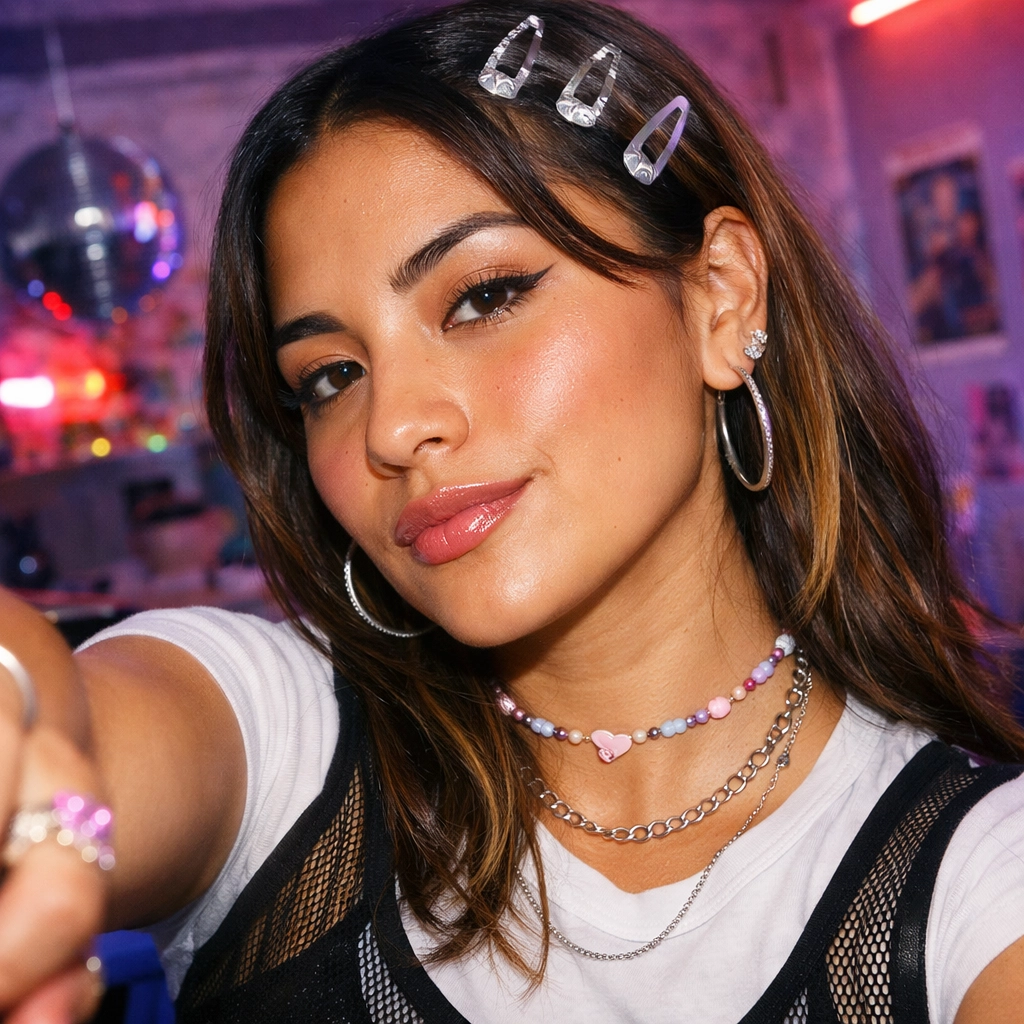
If you are building content for short-form platforms, speed and repeatability matter more than one perfect image. This guide gives you a practical Nano Banana 2 prompt workflow for Instagram, TikTok, YouTube, and X.
Most creators still rely on a generic Nano Banana prompt and hope one generation goes viral. That usually causes face drift, weak framing, and broken text. This Nano Banana 2 tutorial is different: trend-focused formats, platform-specific composition, and a system you can reuse every day.
Why Nano Banana 2 Works for Social-First Creators
The core advantage of Nano Banana 2 social media workflows is speed with control. You can ideate, generate, and publish fast while keeping output quality stable.
For creators, three features matter most:
- Fast iterations during short trend windows.
- Better Nano Banana 2 character consistency across a series.
- Cleaner Nano Banana 2 text rendering for covers, quote cards, and thumbnails.
If your audience is young North American AI enthusiasts, this directly supports growth loops: faster hooks, cleaner visuals, and more testable creative.
The 6-Part Prompt Formula That Actually Scales
Use this structure for repeatable quality:
[Subject] + [Scene] + [Style] + [Camera/Composition] + [Platform ratio] + [Output constraints]

Example Base Prompt
Create a high-detail social media image of a 22-year-old creator taking a candid mirror selfie with an AI celebrity lookalike in a modern cafe, soft cinematic lighting, realistic skin texture, editorial street style outfit, shallow depth of field, vertical 9:16 composition, clean background separation, no extra fingers, no distorted faces, ultra-sharp, 4K.

This one prompt pattern can branch into reels cover art, carousel first slide, and X visual reactions with minimal edits.
Trend Playbook: What Is Working Now
Overused styles fade fast. Current high-performing formats are identity-forward, fashion-forward, and remix-friendly.
1) AI Celebrity Photo Concepts
This is one of the strongest engagement hooks right now. It supports comments, reposts, and stitches.

Prompt starter:
Generate a realistic fan selfie with a famous AI celebrity lookalike at a concert backstage, warm flash photo aesthetic, slight motion blur for authenticity, 9:16, premium detail, no facial distortion.
2) Stylized Outfit Transformations
The easiest carousel format: same face, multiple outfits, one question in caption: "Which look wins?"

Prompt starter:
Keep the same face and hairstyle as reference. Transform outfit into futuristic techwear with reflective textures, urban night street scene, neon rim light, full-body framing, 4:5.
3) Profile and Personal Brand Visuals

Prompt starter:
Create a clean personal brand portrait for a young AI creator, minimalist background, strong eye contact, subtle gradient lighting, premium editorial look, 1:1, no text artifacts.
4) Meme-Ready Reaction Frames for X

Prompt starter:
Close-up reaction portrait, exaggerated surprised expression, high contrast lighting, composition with safe top area for large text, 1:1, clean edges.
Platform Workflow: Instagram, TikTok, X, YouTube
Nano Banana 2 Instagram Workflow
If your query is how to use Nano Banana 2 for instagram posts, start with:
- Reel cover in
9:16. - Feed hero in
4:5. - Story remix in
9:16with close-up crop safety.
TikTok and Reels Workflow
For best Nano Banana 2 prompts for viral tiktoks:
- Generate 3 hook visuals with the same subject.
- Keep one emotional expression fixed, vary lighting mood.
- Export one high-contrast frame for thumbnail testing.
X/Threads Workflow
Use 1:1, center-heavy composition, and leave caption-safe negative space.
YouTube Thumbnail Workflow
Use 16:9, large subject framing, and explicit text-safe zone instructions.

Copy-Paste Prompt Library for Creators
These are practical Nano Banana 2 prompt examples for content creators. Reuse and adapt.
AI Celebrity Shot
Realistic street selfie with AI celebrity lookalike, golden hour light, trendy cafe district, candid expression, phone camera realism, 9:16, detailed skin, no facial distortion, 4K.
Outfit Switch Series
Same face identity, create 4 fashion variants: old-money, Y2K, athleisure, techwear, identical pose and framing, neutral background, 9:16, consistent facial structure.
Viral Hook Frame
High-impact portrait for TikTok hook, dramatic side lighting, intense eye contact, dynamic crop, clean background, space for headline text, 9:16, sharp focus.

Instagram Carousel Cover
Premium social cover image for creator tips carousel, confident portrait, modern studio lighting, minimal design, composition optimized for 4:5 Instagram feed.

X Meme Reaction
Humorous reaction portrait, bold facial expression, high contrast, clean backdrop, room for short text caption, 1:1, social-native style.

Face Consistency and Identity Control
For anyone searching a Nano Banana 2 face consistency tutorial, this is the fastest method:
- Lock face descriptors (shape, hairstyle, age band).
- Keep camera distance consistent.
- Change only one variable at a time (outfit or scene or mood).

This dramatically improves Nano Banana 2 character consistency across weekly content batches.
Text Rendering, 4K Output, and Export Hygiene
For clean Nano Banana 2 text rendering, keep prompts strict:
- Ask for short text lines only.
- Request high contrast between text and background.
- Avoid complex decorative fonts.
- Add "no warped letters, no merged characters."
For Nano Banana 2 4K-quality outputs:
- Generate with detail-first prompts.
- Keep sharpening moderate.
- Export separate versions per platform to reduce compression loss.
7-Day Content Sprint Using One Winning Prompt
This method turns one strong Nano Banana prompt into a repeatable content engine:
- Day 1: Lock identity prompt.
- Day 2: Generate outfit variants.
- Day 3: Generate AI celebrity scenarios.
- Day 4: Create short-video hook frames.
- Day 5: Build carousel set.
- Day 6: Repurpose for X/Threads.
- Day 7: Review saves, shares, watch-through, and CTR.

Final Thoughts
Social growth is no longer about one perfect image. It is about building a repeatable system: one strong Nano Banana 2 prompt, fast variations, platform-native formats, and consistent visual identity across posts. If you stay trend-aware and keep testing hooks, Nano Banana 2 can help you turn ideas into publish-ready content in minutes, not hours.
Nano Banana 2 is now available on Vofy, so if you want to put these prompts into practice, now is the best time to try it.
Try it yourself on Vofy
Generate AI images and videos with the best models - all in one studio.
Discover More
 Sofia Rodriguez•
AI Pembesar Payudara: Cara Edit Foto yang Terlihat Natural
Panduan memakai AI pembesar payudara untuk mengedit foto orang dewasa yang berpakaian. Tiga langkah, cara menilai hasilnya, dan batas yang perlu diketahui.
 Marcus Chen•
AI Video Extender: How to Continue or Expand a Short Clip
Extend, continue, or expand a short video with an AI video extender. What the workflow actually does, how to keep motion consistent, and where it stops being useful.
 Sofia Rodriguez•
Baby Face Filter Snapchat: Lens or Photo Edit?
Choose between Snapchat’s live Baby Face Lens and a saved-photo baby face edit, with a practical route for each goal and no false promise that one tool handles every image.