How to Use AI Outfit Try-On — Preview Clothes on a Photo
Learn how to use AI outfit try on from a photo, choose the right clothing preset, preserve identity, and compare looks before shopping or styling.

Disclosure: This tutorial uses Vofy's AI Outfit Try-On, part of an all-in-one AI creative studio, as the demonstration tool. The workflow reflects the app as available in July 2026, and the interface may evolve.
Trying a new outfit from a photo is most useful when the result still looks like you. The face, pose, proportions, lighting, and room should remain familiar while the garment changes clearly enough to compare a blazer with a cocktail dress or a resort set with a festival look. That is the difference between an AI outfit try on and a generic fashion image: the first supports a decision about your clothing direction, while the second may invent a different model, pose, or scene. The outfit should be the main variable, not the identity or composition.
This guide shows how to prepare a photo, select a focused preset, evaluate the output, and avoid treating a visual preview as proof of fit. It is designed for shoppers narrowing a shortlist, creators planning a shoot, and anyone testing an event look before buying or packing. If the decision is mainly about hair rather than clothing, the AI haircut virtual try-on guide covers that separate workflow.
TL;DR
Use this quick checklist to get a useful first result:
- Upload a clear solo photo with the torso or full outfit area visible.
- Choose one preset that matches the real decision, such as office wear, partywear, bridal, festival, costume, or swimwear.
- Generate more than one focused variation while keeping the same source photo.
- Check identity, garment boundaries, hands, pose, lighting, and scene consistency before saving a result.
- Treat every output as a style preview, not a guarantee of size, tailoring, fabric feel, or brand accuracy.
The central principle is controlled comparison. Keeping the photo constant and changing one clothing direction at a time makes differences easier to judge and makes visual errors easier to spot. Record which preset produced each version so the comparison remains traceable.
1. What You'll Get from an AI Outfit Try On
An AI outfit try on is a photo-editing workflow that replaces the visible clothing on a supplied image while aiming to preserve the same person, pose, body proportions, lighting, framing, and background. It produces a visual style preview for comparing outfit categories; it does not measure the body or predict how a real garment will fit.
In practical terms, the result can help you answer directional questions. Does tailored workwear suit the tone of a profile photo? Does a satin cocktail look fit the setting better than sequins? Would a relaxed resort set make more sense for a packing list than a formal dress? A coherent preview makes those questions easier to discuss with a friend, stylist, client, or content team before anyone commits to a purchase or shoot. Write down the decision first so the generated image has a clear job.
The Vofy app brings everyday outfits, office looks, party styles, wedding and formal dresses, festival clothing, costumes, and swimwear into one workflow. That range is useful, but it also makes focus important. A single generation should answer one clothing question, not combine office tailoring, bridal embellishment, and festival accessories in the same look.
The output also has a firm limit: it is an image, not a fitting measurement. It cannot confirm garment size, comfort, opacity, stretch, seam placement, exact color under real light, or the construction of a retailer's product. Use the preview to narrow style directions, then use the seller's measurements, fabric details, return terms, and an in-person fitting when those factors matter.

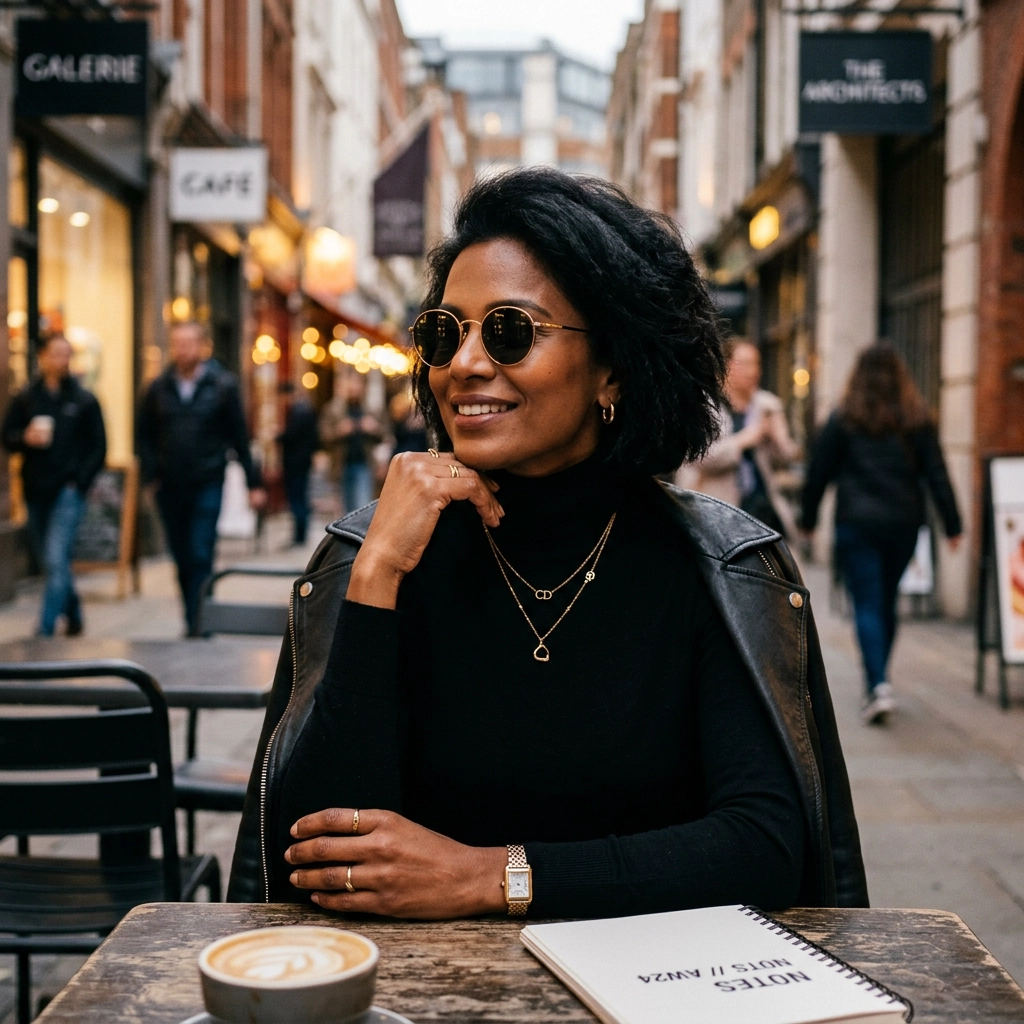
A focused Smart Casual preset changes the wardrobe direction while keeping the portrait useful for a style comparison.
2. Before You Start
Start with permission and a clear purpose. Use photos you own or have permission to edit, and do not use outfit edits to impersonate another person, misrepresent what someone wore, or create misleading identity content. Outfit and swimwear previews should respect portrait rights and must not be presented as medical, biometric, or identity-verification evidence.
The source photo determines how much visual information the system has for rebuilding a garment. A full-body image is useful for dresses, suits, festival outfits, costumes, and swimwear because the hemline, legs, and overall silhouette remain visible. A mid-thigh portrait can work for jackets, tops, and many party looks, while a tightly cropped headshot gives the editor little evidence for the lower garment and often forces it to invent more of the composition.
Before uploading, check the following source-photo qualities:
- One main person is clearly visible, without a crowd crossing the body.
- The shoulders, torso, waist, and relevant garment edges are not heavily blocked by bags, furniture, or folded arms.
- The person faces mostly forward or at a slight angle, with readable posture.
- Lighting is clear enough to distinguish the current clothing from the background.
- The crop includes the area you actually want to compare.
These checks do not require a studio portrait. A clean mirror photo or phone image can be enough when the clothing area is readable and the scene is not visually chaotic. The goal is to reduce ambiguity so the edit can spend its effort on fabric, silhouette, layering, and accessories instead of reconstructing hidden anatomy or missing background.
For swimwear-specific decisions, the AI tankini swimsuit try-on guide goes deeper into coverage and silhouette choices. The same consent and accuracy boundaries still apply: a generated image is a planning aid, not a statement about someone's body or a promise that a particular item will fit.
3. How to Try On Outfits with Vofy in 3 Steps
The workflow is deliberately narrow: upload one photo, pick the closest clothing direction, then generate and compare. You will get more useful evidence from two controlled variations than from one overloaded request that mixes several aesthetics.
3.1 Upload a Photo with the Outfit Area Visible
Open AI Outfit Try-On and upload a selfie, mirror shot, portrait, or full-body image. Match the crop to the decision. For a blazer or knit top, a waist-up or mid-thigh frame may be sufficient; for a gown, suit, costume, or swimsuit, include the full silhouette whenever possible.
Look at occlusion before moving on. Long hair over both shoulders, crossed arms, a large handbag, or furniture covering the waist can confuse the boundary between the body and the current garment. You do not need to remove every natural detail, but choosing the cleanest available source gives the editor a better chance of preserving hands, posture, and background while changing the clothing.


Before and after: a readable torso, stable pose, and clear lighting give the clothing edit a stronger source to work from.
3.2 Choose the Closest Outfit Preset
Select the preset that matches your real use case rather than the one with the most dramatic preview. The available directions span practical categories such as Smart Casual, Office Ready, Vacation Resort, and Formal Event, alongside party, bridal, festival, costume, and swimwear families. Starting close to the intended dress code gives the generation a coherent set of cues for fabric weight, silhouette, coverage, embellishment, and accessories.
Keep the first comparison simple. If you are choosing an event outfit, compare a satin cocktail direction with a little black dress before testing unrelated festival or costume styling. If you are planning a professional portrait, compare office tailoring with smart casual while keeping the same uploaded image. This one-variable approach makes it easier to tell whether the clothing direction works instead of reacting to a changed pose or scene.


Formal and festival presets answer different clothing questions, so compare nearby directions before moving between categories.
3.3 Generate, Inspect, and Download
Generate the first outfit preview, then inspect it from face to hem before saving it. Confirm that the person remains recognizable, body proportions and pose stay stable, sleeves meet the hands plausibly, garment edges follow the body, and fabric folds agree with the lighting. Also check that the background and camera angle have not shifted enough to turn the result into a different photograph.
Next, switch to one nearby preset and generate a second version from the same source photo. Comparing consistent inputs is more informative than comparing unrelated photos because the outfit becomes the main changing variable. Download the strongest version for a private moodboard, shopping shortlist, packing plan, or content draft, but keep the original photo available so you can judge how much the generation changed.
If a result has convincing style but artificial texture, use the diagnostic approach in our guide to fixing fake-looking AI images: identify the specific failure, such as waxy fabric, broken seams, inconsistent shadows, or over-smoothed skin, and correct that issue instead of asking for a vague quality increase. Specific corrections are easier to evaluate on the next pass.
4. Tips for Better Outfit Previews
Good virtual clothes try on results come from describing the garment decision, not a general mood. "Elegant" leaves the system to invent cut, material, coverage, and context. "A structured black office blazer with a clean lapel, straight-leg trousers, minimal accessories, and realistic wool texture" gives it a more testable target while still leaving room for the outfit to adapt to the uploaded person and scene.
Use this order when refining a look:
- Set the dress code or occasion: office, cocktail, wedding guest, resort, festival, costume, or swimwear.
- Define the silhouette and coverage: tailored, relaxed, A-line, long sleeve, high waist, layered, or fitted.
- Add material and color: linen, satin, velvet, knit, denim, matte black, or a restrained print.
- Add accessories last, and include them only when they support the clothing decision.
This sequence keeps the major silhouette stable before smaller styling details enter the prompt. If the first result is structurally wrong, changing jewelry or color will not repair it; return to the dress code, coverage, and garment shape first.
Consistency instructions also matter. When a generation changes the face, body, or location, ask it to preserve the original identity, hairstyle where possible, skin tone, proportions, hands, pose, lighting direction, background perspective, and framing while replacing the outfit alone. The app is designed around that boundary, but complex occlusion and dramatic wardrobe changes can still create visual drift.
Finally, compare results at the size in which they will be used. A creator cover may look convincing at feed size while showing broken seams when cropped for a close-up. A shopping moodboard may tolerate a small accessory inconsistency, but a client-facing styling board needs cleaner garment edges and more dependable color continuity. Evaluation should match the decision, not an abstract idea of image quality.
5. Common Mistakes to Avoid
The first common mistake is treating a broad category as a complete instruction. "Change my outfit" does not say whether the goal is an office portrait, a wedding-guest look, a beach outfit, or a costume. Choose a focused preset and refine from there so each output answers one question.
Another mistake is using a crop that hides the garment area. When the waist, hips, or legs are outside the frame, the system must infer them, which makes full-length silhouettes harder to evaluate. Select a different source rather than interpreting an invented hemline as reliable styling evidence.
Do not compare several presets across several source images and assume the outfit caused every difference. Pose, crop, lighting, and background all affect the result. Reuse one photo for a small set of nearby clothing choices, then move to another source only after you have selected a direction.
Avoid reading visual polish as physical accuracy. A realistic satin dress can still have the wrong scale, construction, weight, or color compared with a real product listing. The preview can tell you that a satin cocktail direction may suit the photo; it cannot tell you that a specific retailer's dress will drape that way on your body.
Finally, do not publish an edited portrait in a misleading context. Label AI-edited imagery when disclosure is relevant, especially in sponsored or affiliate fashion content, and keep the original available for your own review. Creators can consult the FTC's social media disclosure guidance and its endorsements and influencer resources when a post promotes products or includes a commercial relationship. That context matters because a realistic preview can otherwise be mistaken for a photograph of a purchased garment.
6. Conclusion
An AI outfit try on works best as a controlled visual comparison. Use a clear photo, preserve the person and scene, choose one clothing direction at a time, and inspect structural details before saving a result. That process can make shopping shortlists, event planning, packing, and creator pre-production more concrete without pretending that an edited image can replace sizing information or a real fitting.
The most important warning is also the simplest: do not confuse realism with evidence. A polished image can help you decide between style directions, but the garment shown does not physically exist on your body. Use the preview to choose what to investigate next, then verify size, fabric, construction, and retailer details outside the image.
FAQ
Is AI outfit try on the same as a virtual fitting room?
They overlap, but the terms can imply different levels of precision. Vofy's tool provides a photo-based virtual outfit preview that helps compare styles on the same person. It does not take body measurements or guarantee the fit of a specific product, so treat "virtual fitting room" as a visual planning workflow rather than a tailoring system.
What photo works best for virtual clothes try on?
A clear solo photo with the relevant clothing area visible works best. Use a front-facing or slight-angle pose, readable lighting, minimal occlusion, and a crop that includes the complete silhouette you want to change. Full-body photos are preferable for gowns, suits, costumes, festival looks, and swimwear.
Can AI Outfit Try-On keep my face and body recognizable?
That is the intended editing goal: change the clothing while preserving identity, pose, body proportions, lighting, framing, and background. Results can still drift when the source is heavily cropped, obstructed, or visually complex, so inspect every output and regenerate with explicit preservation instructions when needed.
Can I use a try-on image to choose the right clothing size?
No. The image does not measure your body or reproduce a retailer's exact pattern, fabric behavior, or construction. Use it to compare style, silhouette, color, coverage, and dress code, then rely on real measurements and retailer information for sizing.
Can I upload someone else's photo?
Use another person's photo only when you have clear permission to edit it and share the result. Do not use the tool to impersonate someone, misrepresent what they wore, or create deceptive identity content. For minors or sensitive outfit categories, use extra caution and avoid public sharing without appropriate consent.
Related Reading
Try it yourself on Vofy
Generate AI images and videos with the best models - all in one studio.
Discover More

 Lucas Andersson•
Try Any Hairstyle Instantly: Free AI Haircut & Virtual Hair Try-On Guide
Try 12+ hairstyles instantly with free AI filters. Join 2M+ users testing long, short, curly, blonde, silver & pink hair virtually. See your perfect look in 30 seconds—no commitment needed.
 Lucas Andersson•
AI Tankini & Swimsuit Try-On: Easy Guide
Learn how to preview a tankini or swap bathing suits on your own photo with AI. Compare styles fast, refine coverage, and get better prompts today.
 Priya Sharma•
Photo to 3D Model with AI: A Practical Guide
Turn a photo into a polished 3D-style model image with Vofy. Learn which photos work best, how to generate, and how to fix common results.