Street Fashion Portrait Generator: Create an Editorial Look
Create a street fashion portrait from your photo with AI. Learn photo prep, ratios, styling checks, and how to keep the result believable.

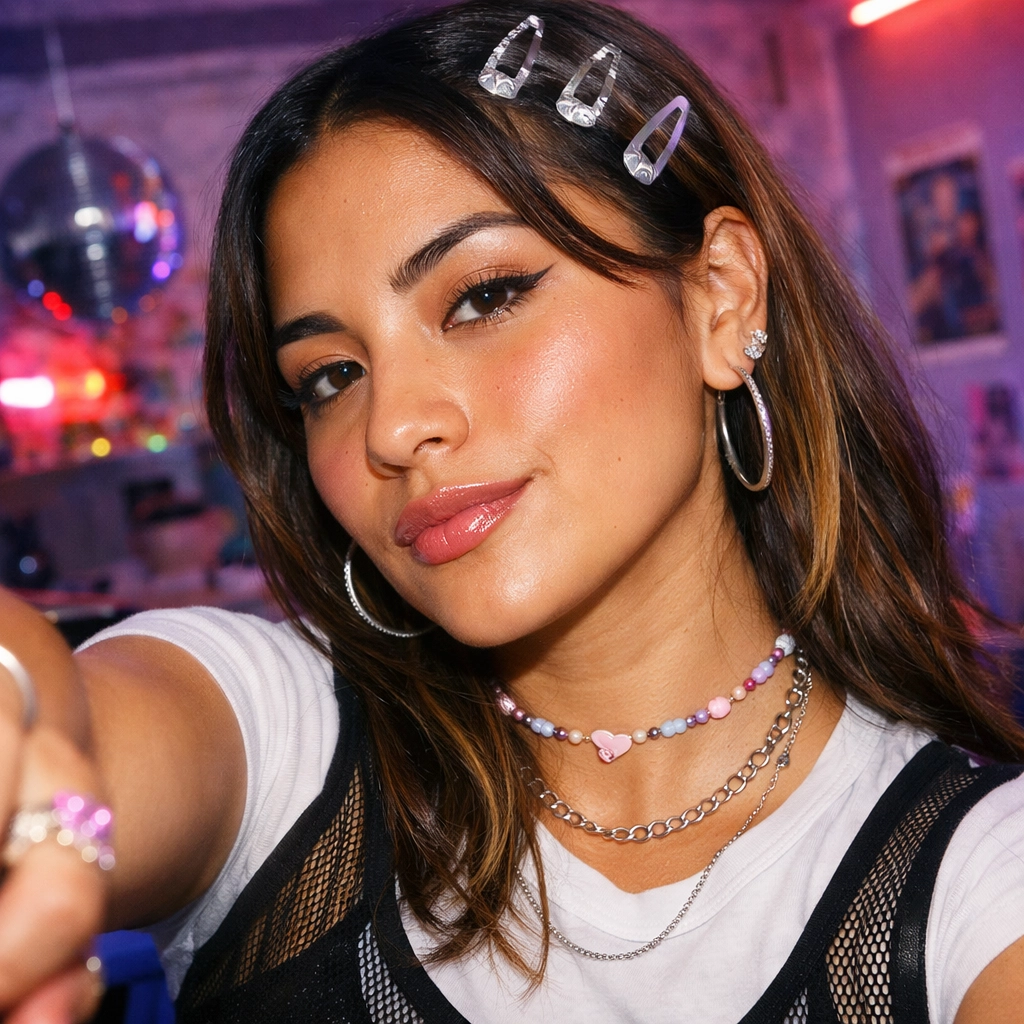
Disclosure: This tutorial uses Vofy, an all-in-one AI creative studio, as the demonstration tool. The steps apply to the Street Fashion Portrait Generator as of June 2026; interfaces, model options, and Credits may change over time.
Street fashion has a very specific visual language: confidence, motion, denim texture, graphic pavement, strong shoes, and a camera angle that makes the subject feel present instead of posed. That fashion-trend energy is easy to recognize and harder to generate well, because turning a casual photo into a believable streetwear portrait takes more than swapping clothes. The final image needs face likeness, a readable stance, crosswalk geometry, golden-hour contrast, and enough imperfection to feel photographed rather than polished flat.
That is the lane for an AI streetwear portrait workflow. Start with one clear photo, use the app to rebuild the scene around the same recognizable person, then review the result like an editor: face first, hands second, outfit third, crop last. Treat the generated image as creative styling made from a photo you own or have permission to edit, not proof that someone wore a specific outfit, endorsed a brand, or stood on that exact street.
TL;DR
- Use a clear solo photo with readable face, hair, shoulders, and body outline; source quality affects identity preservation.
- Street Fashion Portrait Generator creates a high-angle crosswalk portrait with wide-angle perspective, baggy denim, sneakers, warm light, and editorial streetwear styling.
- Auto submits a vertical 9:16 result, which is usually strongest for Reels covers, stories, profile refreshes, and music-art concepts.
- Check likeness, hand shape, jeans, shoes, shadows, and whether the camera stayed above the subject before sharing.
- Open Street Fashion Portrait Generator when you want a fast fashion trend portrait from your own image without writing a long prompt.
1. What You'll Get From a Street Fashion Portrait Generator
A street fashion portrait generator turns one uploaded person photo into a stylized editorial streetwear image. In this Vofy app, the intended result is intentionally narrow: a close high-angle camera looking down at the subject on an urban crosswalk, with the face and shoulders larger in the frame while jeans and sneakers recede downward. The app adds baggy denim, modern shoes, optional jewelry or small bags, warm sunlight, asphalt shadows, and a confident direct gaze while asking the model to preserve the same recognizable person.
That focus is useful because "AI fashion photoshoot" can mean too many things. A luxury studio portrait, a fashion magazine cover, an outfit try-on, and a streetwear thumbnail all need different image logic. This app is strongest when you want a street fashion portrait that feels like a creator campaign, a playlist cover, a profile refresh, or a streetwear moodboard. It is not designed to preview a purchasable garment with exact product accuracy; it is a creative portrait transformation with a fixed street-photography direction.

The visual reference is closer to editorial street photography than a beauty filter. If you browse Vogue street style coverage, you will notice that the strongest looks often combine clothing, posture, setting, and timing. AI cannot replace real styling direction, but it can help you test the idea quickly: what happens if the portrait becomes sharper, lower in softness, more graphic, and more social-first?
2. Before You Start: Pick the Right Source Photo
The uploaded photo sets the ceiling for the final portrait. A streetwear AI generator can rebuild clothing, pose energy, background, lighting, and camera perspective, but it still needs enough real information to anchor the person. If the original face is tiny, heavily blurred, blocked by sunglasses, cut from a group shot, or compressed through a screenshot, the model has less structure to preserve. A plain phone portrait with good face visibility can outperform a dramatic but messy fashion snapshot.
Use this source-photo checklist before generating:
- Choose one person, not a group image.
- Make sure the face, hairline, shoulders, and body outline are visible.
- Prefer a standing, three-quarter, or clear upper-body image when possible.
- Avoid heavy face obstruction, extreme motion blur, tiny crops, and hard shadows across the eyes.
- Use only photos you own or have permission to transform.
After that first pass, decide where the image will live. A vertical story cover needs room above and below the subject. A square profile image needs the face and upper body centered enough to survive a grid crop. A wide header needs stronger crosswalk geometry and a subject that still reads at smaller height. Planning the destination first prevents the common mistake of generating a good portrait in the wrong shape.
If your goal is a career-safe profile photo, start with our selfie to LinkedIn headshot guide instead. If your goal is a broader prompt system for model-driven image creation, the GPT Image 2 prompts guide gives reusable structure. This article is about the more specific fashion trend portrait: streetwear attitude, crosswalk lines, warm light, and a high-angle camera.
3. How to Create a Street Fashion Portrait in Vofy
Open Street Fashion Portrait Generator and upload one clear person photo. The app keeps the workflow short on purpose: upload the source image, choose the output ratio, adjust resolution in Settings when needed, then generate. You do not need to write the whole streetwear prompt from scratch because the app already carries the creative direction: high-angle wide lens, crosswalk asphalt, direct gaze, baggy jeans, sneakers, jewelry details, natural skin texture, and golden-hour light.
3.1 Upload Your Photo
Start with the cleanest image, not necessarily the most stylish one. The generator can add a stronger outfit and street setting, but likeness depends on visible identity cues: face shape, hair silhouette, skin tone, shoulders, posture, and body proportions. If the subject is a client, collaborator, friend, or model, confirm permission before uploading and before publishing the result.
3.2 Choose Aspect Ratio and Resolution
Keep Auto when you want the intended vertical street portrait. In this app, Auto submits as 9:16, which fits story graphics, Reels covers, mobile wallpapers, creator profile refreshes, and music-art drafts. Choose 1:1 when you need a square social grid or avatar-friendly crop. Choose 16:9 when you want a wider thumbnail, banner, or cover-art concept where the crosswalk lines can become part of the design.
As of June 2026, Vofy image workflows use Credits, and rates vary by model, resolution, and selected settings. Start with one or two focused generations before exploring every crop. When the portrait direction works, increase resolution or regenerate in a second ratio only if the final use actually needs it.
3.3 Generate, Review, and Download
After generation, review the result at full size. Check whether the face still looks like the source person, whether the high-angle camera stayed above the subject, and whether the jeans, sneakers, and hands are anatomically believable. Then inspect the mood: the portrait should feel confident and editorial, not cute, stiff, or runway-polished. The crosswalk should help the composition, not distract from the face.

4. Tips for a Stronger Fashion-Trend Look
The strongest fashion trend portrait has one clear hierarchy: face, attitude, silhouette, shoes, then setting. If the viewer notices the crosswalk before the person, the image is too graphic. If the clothes feel sharp but the face has drifted, the image fails as a portrait. If everything is perfect and plastic, it loses the street quality that makes the style interesting in the first place.
Use this review map after each generation:
| Review area | What to look for | When to regenerate |
|---|---|---|
| Face likeness | Same facial structure, skin tone, hair traits, and expression energy | The subject looks like a different person |
| Camera angle | Above and slightly in front, not flat overhead | The image becomes eye-level or distant |
| Outfit | Baggy jeans, modern sneakers, streetwear top, optional jewelry | Clothes look melted, branded, or inconsistent |
| Hands and pose | Hands near pockets, relaxed shoulders, confident stance | Extra fingers, broken wrists, stiff studio posture |
| Crosswalk | Bold lines support the composition | Stripes cover the face or fight the subject |
| Light | Warm golden-hour highlights and realistic shadows | Skin is over-smoothed or shadows feel fake |
This table is not meant to slow you down; it gives you a quick editorial eye. A useful result does not have to be perfect, but it should survive three checks: recognizable person, believable body, strong crop. If two of those fail, download later and regenerate now.
For composition practice, it can help to study basic framing language from sources like Adobe's rule-of-thirds guide. The street fashion version is less polite than a classic portrait, though. Let the face sit high, let the shoes pull downward, and let the crosswalk create motion behind the subject. That slight tension is what makes the image feel like an editorial street portrait instead of a normal profile picture.
5. Common Mistakes to Avoid
The first mistake is using a source image with too little identity information. A blurry mirror selfie, a tiny group crop, or a photo where the face is hidden under heavy shadow can still produce a stylish image, but it may not preserve the person. If likeness matters, start with a cleaner upload. If the outfit matters more than likeness, use the result as a moodboard rather than a personal portrait.
The second mistake is treating the tool like exact outfit try-on. The generator can create a strong AI streetwear portrait, but it is not a product-accurate garment preview. Do not use the output to claim that a person wore a specific brand, endorsed a sneaker, or modeled a real clothing item unless that is separately true and authorized. For public posts, describe the result as AI-generated street fashion artwork or a concept image.
The third mistake is choosing the crop after the image is already finished. A 9:16 portrait can look powerful on a phone and awkward in a wide banner. A 16:9 output can make the crosswalk beautiful but reduce the face too much for an avatar. Decide whether the image is for a Reels cover, album thumbnail, profile grid, creator website, campaign moodboard, or fashion concept deck before you generate.
The fourth mistake is over-editing after download. A bit of contrast, grain, or typography can help, but heavy filters can erase the natural skin texture that makes the result believable. If you need a magazine layout rather than a raw streetwear portrait, use the adjacent Fashion Magazine Cover Generator guide. If you need a polished business editorial image instead, this street portrait workflow is probably the wrong lane.

6. Conclusion
A good street fashion portrait is built from tension: real identity plus invented styling, casual street energy plus editorial control, strong shoes plus a face that still leads the frame. That is why the best results start with a clear photo and a specific destination, not a vague wish for "cooler." The app can supply the crosswalk, denim, camera angle, warm light, and fashion attitude, but the uploaded image supplies the person.
Use Street Fashion Portrait Generator when you want a fashion trend portrait that feels bold, social-first, and streetwear-led without building the entire prompt yourself. Generate one vertical version first, review it like an editor, then branch into square or wide formats only when the concept is working. The most useful result is not the loudest one; it is the one where the viewer reads the person, the attitude, and the street-fashion mood in the same glance.
FAQ
What is Street Fashion Portrait Generator?
Street Fashion Portrait Generator is a Vofy app that turns one uploaded person photo into a high-angle AI street fashion portrait. It preserves recognizable identity cues while adding crosswalk geometry, streetwear styling, baggy jeans, sneakers, warm light, and a confident editorial mood.
What kind of photo works best for an AI streetwear portrait?
Use a clear solo photo where the face, hair, shoulders, skin tone, and body outline are readable. Standing portraits and three-quarter shots usually give the model stronger information for pose, jeans, sneakers, and pocket placement.
Can I use it as an outfit try-on tool?
Not exactly. The app can generate streetwear styling, but it is a creative portrait transformation rather than a product-accurate clothing try-on. Use it for moodboards, profile visuals, thumbnails, and fashion concepts, not exact garment previews.
Can I use photos of other people?
Only use photos you own or have permission to edit. Do not use generated results to impersonate someone, suggest a false endorsement, or imply that the person appeared in a real photographed streetwear campaign.
Which ratio should I choose?
Auto submits a vertical 9:16 portrait, which is usually best for stories, Reels covers, music art drafts, and mobile-first posts. Choose 1:1 for profile grids and 16:9 for headers, thumbnails, or wider cover concepts.
Related Reading
Try it yourself on Vofy
Generate AI images and videos with the best models - all in one studio.
Discover More

 Priya Sharma•
Fashion Magazine Cover From Photo: AI Cover Guide
Create a fashion magazine cover from your photo with AI. Learn photo prep, cover text, ratios, magazine names, and review tips.

 Ryan Mitchell•
How to Write Better GPT Image 2 Prompts
Learn a reusable framework for GPT Image 2 prompts across photos, products, portraits, posters, and social graphics, with real examples and clearer control.
 Sofia Rodriguez•
How to Create a Professional LinkedIn Headshot With AI
Transform selfies into professional LinkedIn headshots instantly with our free AI generator. Get polished, studio-quality profile photos in 2 minutes—perfect for job seekers, founders, and remote workers.