AI Hugging Video Generator: Make Hug Videos From Photos
Use an AI hugging video generator to turn one or two photos into a warm hug video for reunions, family, friendship, long-distance love, and memory edits.

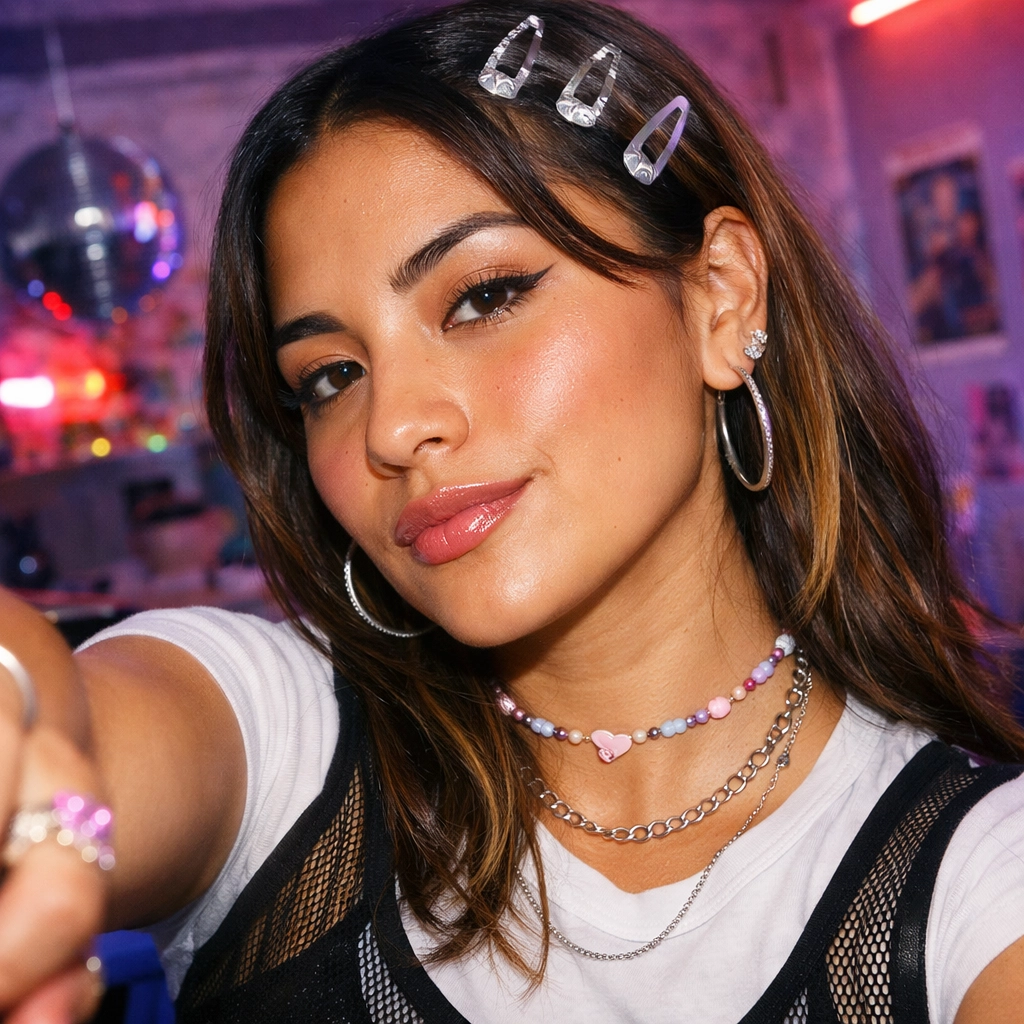
Some photos feel like they are waiting for one small moment of motion. A portrait of someone far away, two separate pictures from a long-distance relationship, a family member you wish you could hug, or a friendship memory can all carry more emotion than a still frame can show on its own.
That is where an AI hugging video generator becomes useful. Instead of building a dramatic scene from scratch, it starts with one or two photos and creates a short hug video around them. The best result is simple: the subjects move naturally toward each other, the embrace lands clearly, and the clip holds the feeling long enough to feel warm without becoming theatrical.
Vofy AI Hugging Video Generator is built for this exact photo-to-hug workflow. You can upload one photo when you want the main subject to receive a generated companion hug, or upload two photos when both people should remain recognizable in the final video.
What Is an AI Hugging Video Generator?
An AI hugging video generator is a photo-to-video tool that turns one or two still images into a short clip centered on an embrace. You provide the source photo or photos, choose the emotional direction, and the AI creates the motion around a hug instead of building an unrelated scene.
Hug videos work because the action is instantly readable. Viewers do not need a long setup to understand reunion, comfort, affection, friendship, or family connection.
That makes the format useful for emotional edits where you do not have existing footage. A couple in different cities can create a reunion-style clip from separate portraits. A family member can turn two photos into a gentle memory video. Friends can make a birthday or graduation post feel more personal. The goal is not to fake a documentary record; it is to create a warm visual expression from the photos you already have.
One Photo Or Two Photos
One-photo mode and two-photo mode create different kinds of stories.
With one photo, Vofy keeps the uploaded person as the emotional center of the clip. The second subject is generated to fit the scene, so this mode works well for symbolic comfort, companion hugs, and memory-style edits where you only have one usable image.
With two photos, both uploads matter. Vofy uses each image as an identity reference and tries to bring both people into the same scene with matching scale, lighting, and perspective. This is the better choice for long-distance couples, close friends, siblings, parents and children, or any video where both people need to be recognizable.
The example below starts from two images.


From there, the app creates a shared hug video:
This is the main advantage of two-photo mode: the video can feel like one shared moment even when the starting point is two separate images.
How Hug Intensity Changes The Tone
Hug intensity is not just a visual setting. It changes the emotional meaning of the clip.
A light hug feels calm, friendly, and low-pressure. It is a good fit for friendship edits, family-safe videos, casual greetings, and social posts where warmth matters more than drama. The body contact is softer, the movement is less urgent, and the result usually feels more natural when the source photos are simple portraits.
A tighter reunion hug feels more emotional. The subjects can move in with clearer intent, the embrace can hold more firmly, and the final moment can feel like relief. Use this for reunion edits, anniversary messages, long-distance relationship videos, or memory clips where the hug should be the emotional payoff.
The key is to choose one emotional direction. If you ask for a hug to be casual, dramatic, playful, tearful, cinematic, and fast all at once, the model has too many signals to resolve. Pick the tone first, then let the motion stay focused.
How to Make an AI Hug Video With Vofy
Open Vofy AI Hugging Video Generator, then choose your photos. If you only have one image, upload it as the primary subject. If you have two people you want in the hug, upload one photo for each person.
Use photos where the face and upper body are visible. Hugs depend on shoulders, arms, hands, and torso contact, so a tight face-only crop gives the model less information. A clear chest-up or waist-up portrait usually works better.
After upload, choose the hug style. Use Light Hug for a softer clip or Tight Reunion when the video should feel more emotional. Then generate, preview the result, and rerun with simpler direction if the arms, faces, or spacing feel unstable.
If you want to add a prompt, keep it short and grounded:
“Create a warm AI hugging video from these two photos. Keep both people recognizable, bring them into a natural gentle embrace, use soft emotional lighting, subtle movement, and a heartfelt reunion mood.”
Useful AI Hug Video Ideas
Make One Portrait Get Hugged
Use this when you have one strong portrait and want the person to remain the clear focal point. The generated companion should support the scene without overpowering the uploaded subject. This is useful for comforting edits, single-person memory videos, and symbolic hugs where the exact second person is not the point.
Create A Light Casual Hug
A light hug is quieter. It should feel respectful, friendly, and natural rather than dramatic. This is the safest choice for friendship clips, family posts, birthday messages, and scenes where you want warmth without making the moment feel too intense.
Light Hug is also useful when source photos are not perfectly matched. Softer movement gives the model less to solve, which can help faces and body contact stay stable.
Build A Tight Reunion Squeeze
Tight Reunion is for bigger emotional payoff. The subjects can move closer with more intent, the embrace can land with stronger contact, and the final hold can feel more relieved.
Use this for reunion videos, long-distance relationship edits, anniversary messages, and scenes where the hug should feel like the emotional center of the clip.
Source Photo Tips for Natural Results
Start with source photos that make the hug physically possible. Faces should be visible, but shoulders and upper bodies matter too. A tight face crop gives the app less information about arm placement. A clear waist-up or chest-up portrait is usually stronger.
For two-photo mode, similar framing helps. If one photo is a close selfie and the other is a distant full-body shot, the model has to invent more scale and perspective. If both photos have similar angles and lighting, the final hug is more likely to feel like one shared scene.
Keep the emotional instruction simple. One hug style, one mood, and one ending usually work better than a long list of actions. For example, “gentle reunion hug, soft lighting, subtle movement, keep both people recognizable” is clearer than asking for walking, spinning, crying, waving, and changing backgrounds in the same video.
Hug intensity affects tone. A light hug feels calm and friendly. A tighter hug feels more relieved and emotional. Choose the intensity based on what the viewer should feel, not just what looks more dramatic.
Best Use Cases for AI Hug Videos
AI hug videos are strongest when the emotion is already easy to understand.
For reunions, two-photo mode can turn separate portraits into a short scene that feels like finally meeting again. For friendship, a light hug can make a birthday post, graduation memory, or “miss you” message feel more alive. For family connection, a gentle embrace can carry warmth without needing a staged photoshoot.
For long-distance relationships, the appeal is obvious: two people who do not have recent video together can still share a small visual moment. For memory edits, the key is restraint. Use soft lighting, simple movement, and a grounded hug style so the result feels respectful.
FAQ
Can an AI hugging video generator work from one photo?
Yes. One photo is enough if you want the uploaded subject to receive a generated companion hug. This is useful when you only have one portrait or want a symbolic comforting scene.
When should I upload two photos?
Upload two photos when both people need to remain recognizable. This is best for couples, family members, close friends, and long-distance relationship videos.
How does hug intensity change the emotional tone?
Light Hug feels calm, friendly, and low-pressure. Tight Reunion feels more emotional, with stronger contact and a clearer squeeze.
What source photos work best?
Use clear, well-lit portraits with visible faces and upper bodies. For two-photo mode, similar lighting and camera angles usually help the final hug feel more natural.
Can I use AI hug videos for memory edits?
Yes. Keep the prompt gentle and avoid exaggerated motion. A simple hug with soft movement usually feels more respectful than a dramatic scene.
If you have one portrait or two separate photos you wish could share a hug, try Vofy AI Hugging Video Generator and create a warm AI hugging video online.
Try it yourself on Vofy
Generate AI images and videos with the best models - all in one studio.
Discover More

 Ryan Mitchell•
Live Photo Maker: Turn a Photo Into Motion Online
Use a live photo maker online to turn one still image into a subtle motion clip for portraits, travel shots, profile visuals, and social cover loops.
 Ryan Mitchell•
How to Use Kling 3.0 Image-to-Video on Vofy
Learn how to get better Kling 3.0 image-to-video results on Vofy by choosing stronger source images, writing motion prompts that fit the frame, and knowing when to use interpolation or motion control.
 Sofia Rodriguez•
AI Couple Photoshoot Generator: Create Romantic Photos from Two Separate Images
Turn two separate portraits into one romantic couple photo with AI. Perfect for long-distance couples, engagement announcements, anniversary posts, and social media content.