AI Kissing Video Generator: Create Videos From Photos
Use an AI kissing video generator to turn one or two photos into short romantic clips with Vofy input, output, prompt, style, and photo tips.

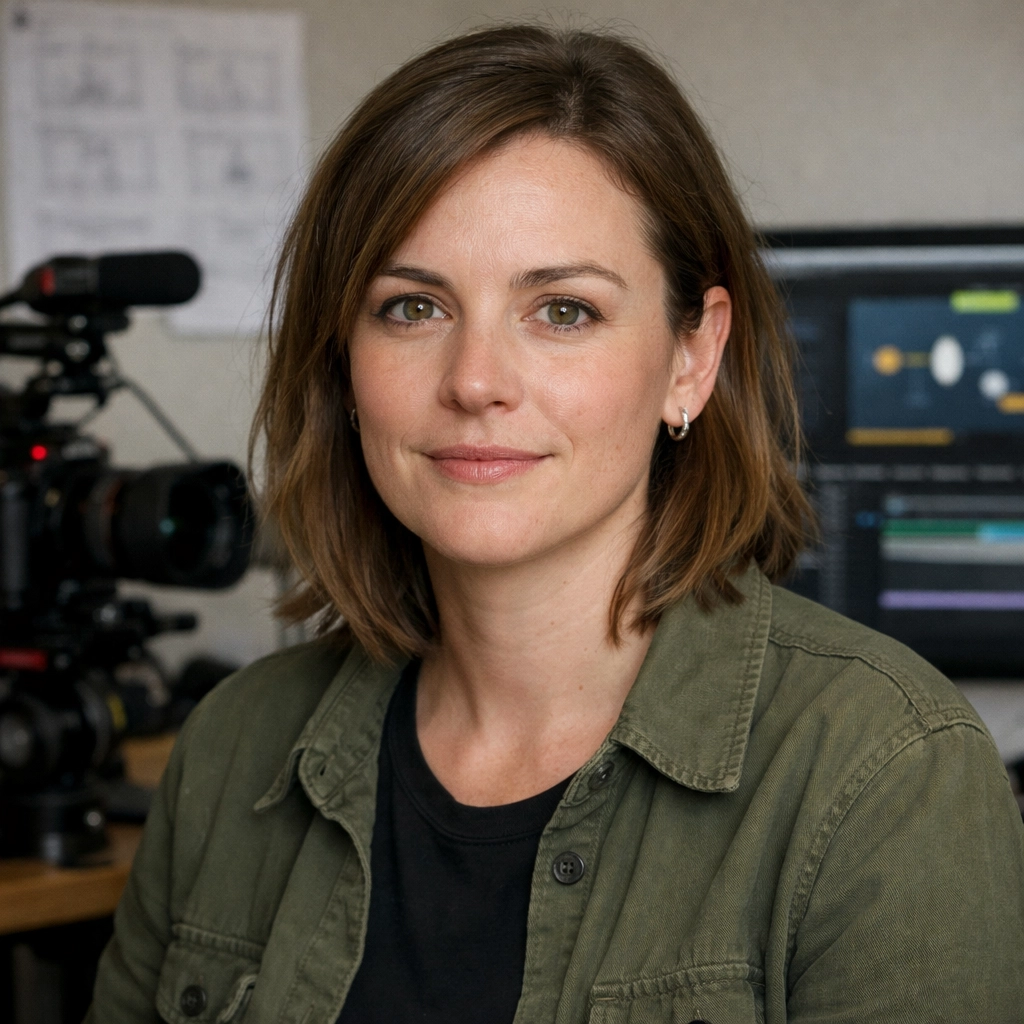
An AI kissing video generator turns one or two still photos into a short romantic video. It is useful when you want a couple-style clip for a story edit, anniversary post, character concept, or romantic social video without filming new footage.
The best workflow is simple: start with clear adult photos, choose whether you want one-photo or two-photo mode, select the kiss style, then generate a short clip. This guide explains that process using the real input and output materials from Vofy AI Kissing Video Generator.
What Is an AI Kissing Video Generator?
An AI kissing video generator uses uploaded photos as identity references, then creates a short motion sequence around a kissing moment. The goal is not a long scripted scene. The strongest results usually focus on one readable action: natural closeness, a gentle lean-in, one coherent kiss, and a short hold afterward.
Vofy supports two practical modes:
- One-photo mode: upload one adult portrait. The uploaded person stays central, and the app generates another adult partner to fit the scene.
- Two-photo mode: upload two adult portraits. The app uses both people as references and tries to keep both recognizable in the final couple video.
Input and Output Example
Here is the main two-photo example from the Vofy page. The input portraits are cropped to the same square format, then shown as one input group beside the generated output video.


This is the clearest way to judge the effect: compare the source portraits with the final motion. A good result should keep the people recognizable, avoid sudden facial changes, and make the approach feel physically coherent.
When you review a result, do not only look at the final kiss frame. Watch the whole transition. The first second should establish the subjects clearly, the lean-in should feel continuous, and the hold afterward should not introduce a new face, extra hand, or sudden camera jump. If the video looks good at the still-frame level but feels unstable in motion, regenerate with simpler direction.
One-Photo Mode vs Two-Photo Mode
Use one-photo mode when only one person needs to match a real image. This works for a get-kissed result where the uploaded person remains the focus and the generated partner simply supports the scene.
Use two-photo mode when both people should be preserved. This is better for couple edits, long-distance relationship clips, anniversary content, and fictional pairings where both identities matter.
In either mode, source photos matter more than a long prompt. Use clear adult portraits with visible faces, natural angles, and minimal obstruction. For two-photo mode, similar lighting and camera distance help the model combine the pair more cleanly.
If you are unsure which mode to use, start with the question "who must remain recognizable?" If the answer is one person, one-photo mode is enough. If the relationship between two specific people is the point of the clip, use two-photo mode and give both people equally clear source images.
How to Make an AI Kissing Video With Vofy
1. Upload one or two photos
Open Vofy AI Kissing Video Generator. Upload one adult photo for one-photo mode, or upload two adult photos for a pair result. A shoulders-up or waist-up portrait is usually easier to animate than a tightly cropped face because the model has more body context for the lean-in.
2. Choose the kiss style
Vofy includes kiss-style presets so you do not need to write a complex motion script. A restrained romantic kiss should feel gentle, brief, and controlled. A more passionate kiss style uses closer body distance and stronger anticipation, while still staying tasteful and adult.
Use the output examples below to pick the direction before you generate. Each style has a different job, so it is easier to evaluate them one at a time.
One-photo get-kissed result
Use this style when you only upload one adult portrait and want that person to remain the main subject. The generated partner should support the scene naturally without replacing or overpowering the uploaded person.
More passionate kiss style
Use this style when the clip should feel more intense and emotionally charged. It works best with closer body distance, stronger anticipation, and one smooth adult romantic payoff while staying tasteful.
Polite restrained couple kiss
Choose this style when you want a softer romantic result. The movement should feel composed: a small lean-in, a brief kiss, minimal hand movement, and a calm hold afterward.
For most first attempts, start with the restrained style. It gives the model less aggressive motion to solve and usually makes identity retention easier. Move to the more passionate style after you have a clean version of the pair and want a stronger emotional read.
3. Keep the prompt focused
Start with a short prompt that tells the model what to preserve and what kind of motion to create:
Create a short romantic kissing video from these two portraits. Keep both people recognizable, use soft cinematic lighting, natural expressions, gentle movement, and a restrained romantic kiss style.
For one-photo mode, adjust it like this:
Create a short romantic kissing video from this portrait. Keep the uploaded adult person recognizable and central in the frame. Generate a natural adult partner who fits the scene, use soft cinematic lighting, gentle movement, and a restrained romantic kiss style.
4. Review the output
After generation, compare the result against the input photos. Look for recognizable faces, stable head movement, clean hands and shoulders, and a natural transition into the kiss. If the clip feels too intense, switch to the restrained style. If it feels too static, ask for closer body distance or stronger anticipation.
One useful refinement pattern is to change only one variable at a time. Keep the same input photos and prompt, then switch the kiss style. Or keep the style and adjust the prompt from "gentle movement" to "slightly closer body distance." Changing photos, style, camera, and mood all at once makes it harder to learn what improved the output.
Photo Tips for Better Results
Use source photos with:
- clear adult faces
- similar lighting for two-photo mode
- visible hairline, shoulders, and face shape
- no heavy obstruction, masks, sunglasses, or harsh shadows
- a natural front-facing or three-quarter angle
Avoid crowded scenes, extreme crops, and photos where the person is looking away sharply. The cleaner the input, the less the model has to guess.
For two-photo clips, choose photos that feel like they could belong in the same scene. They do not need to be identical, but matching brightness, head angle, and camera distance helps the final output feel less like a collage and more like a shared moment.
Responsible Use
Only upload appropriate adult photos that you have the right to use. Do not create deceptive, non-consensual, explicit, or harassing content. Romantic AI edits can be useful for creative storytelling and couple-style videos, but the people represented in the images should be treated respectfully.
FAQ
›
Can I make an AI kissing video with one photo?
Yes. One-photo mode keeps the uploaded adult person central and generates a partner to fit naturally into the clip.
›
When should I upload two photos?
Upload two photos when both people should be recognizable in the final kissing video.
›
What is the best prompt to start with?
Use a short prompt that asks for recognizable people, natural expressions, stable camera movement, and either a restrained romantic kiss or a more passionate style.
›
Why do source photos matter?
The model uses the photos as identity anchors. Clear faces, similar lighting, and natural angles make the final video more stable.
Try Vofy AI Kissing Video Generator
The easiest way to create a believable clip is to start with clean input photos, choose one kiss style, and generate a short focused output. Try Vofy AI Kissing Video Generator to turn one or two photos into a short AI kissing video.
Try it yourself on Vofy
Generate AI images and videos with the best models - all in one studio.
Discover More

 Sofia Rodriguez•
AI Couple Photoshoot Generator: Create Romantic Photos from Two Separate Images
Turn two separate portraits into one romantic couple photo with AI. Perfect for long-distance couples, engagement announcements, anniversary posts, and social media content.

 Ryan Mitchell•
How to Use Kling 3.0 Image-to-Video on Vofy
Learn how to get better Kling 3.0 image-to-video results on Vofy by choosing stronger source images, writing motion prompts that fit the frame, and knowing when to use interpolation or motion control.

 Priya Sharma•
Photo to 3D Model with AI: A Practical Guide
Turn a photo into a polished 3D-style model image with Vofy. Learn which photos work best, how to generate, and how to fix common results.