Free AI Old Camera Filter: Turn Photos Into Vintage Film in Seconds
Transform any photo into authentic vintage film photography instantly. Free AI old camera filter adds realistic grain, nostalgic colors, and retro aesthetics—no film camera needed.

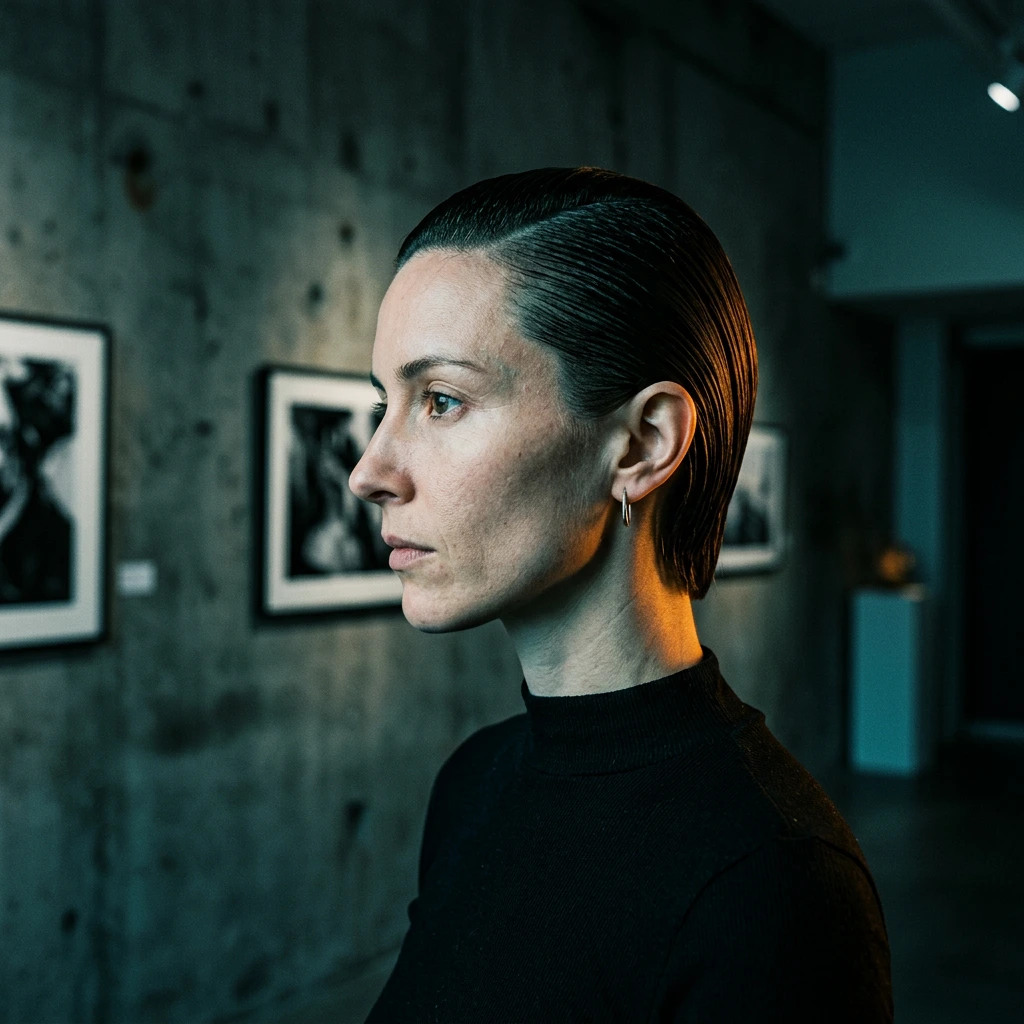
The nostalgic appeal of vintage film photography has never been stronger. In 2026, content creators, social media influencers, and photography enthusiasts are rediscovering the warm, organic aesthetic of analog film—but without the hassle of actual film cameras, darkrooms, or expensive developing costs.
An old camera filter powered by AI transforms your modern digital photos into authentic vintage film photography in seconds. Unlike simple Instagram filters that just desaturate colors, advanced AI models replicate genuine film characteristics: realistic grain texture, era-specific color shifts, organic imperfections, and that unmistakable analog warmth that defined photography from the 1970s through 1990s.
This guide covers everything you need to know about creating vintage photo effects with AI, including use cases, step-by-step tutorials, and expert tips for achieving that perfect retro film aesthetic.

What Is an Old Camera Filter?
An old camera filter is an AI-powered tool that transforms modern digital photos into authentic vintage film photography. It replicates the distinctive characteristics of analog film cameras, including authentic film grain, nostalgic color grading, light leaks, and organic imperfections that define classic film photography.
Unlike basic filters that simply overlay effects, AI old camera filters intelligently analyze your photo's lighting, composition, and content to apply historically accurate vintage characteristics.
Why Use an Old Camera Filter?
Old camera filters solve several creative and practical challenges:
- Instant Nostalgia - Capture vintage warmth without expensive film cameras or development costs
- Stand Out on Social Media - Vintage content generates 2-3x higher engagement
- Authentic Retro Aesthetic - AI replicates genuine film characteristics
- Cost-Effective - Skip film costs and vintage camera investments
- Professional Results - Get darkroom-quality effects in seconds

Old Camera Filter vs. Instagram Filters
| Feature | AI Old Camera Filter | Instagram Filters |
|---|---|---|
| Authenticity | Replicates genuine film grain patterns and era-specific color science | Simple overlays without understanding film characteristics |
| Customization | Customizable film stocks and vintage characteristics | Fixed presets with limited adjustment |
| Quality | Adaptive processing based on photo's lighting and composition | Uniform effects that often look artificial |
| Professional Use | Suitable for commercial projects and client work | Designed for casual social media use |
Best Use Cases for Old Camera Filters
1. Social Media Content (Instagram, TikTok, YouTube)
Transform your social media photos and video thumbnails into eye-catching vintage content. Vintage photo filters create cohesive aesthetic themes perfect for Instagram grids, TikTok posts, and YouTube thumbnails.

2. Vintage Portrait Photography
Convert modern selfies and portraits into timeless vintage photos with classic film aesthetics. Perfect for profile pictures and personal branding.
3. Nostalgic Travel Photography
Transform vacation photos into retro travel postcards with authentic film aesthetics.
4. Retro Product Photography
Apply old camera effects to product photos for vintage branding and nostalgic marketing campaigns.
5. Wedding and Event Photography
Transform wedding photos and special events into timeless vintage memories with romantic film aesthetics.
How to Use an Old Camera Filter: Step-by-Step Guide
Creating vintage film photos with AI is straightforward and requires no technical expertise. Here's how to transform your modern digital photos into authentic retro photography:
Step 1: Select Your Photo
Choose a clear, well-composed image. Best results come from:
- Portrait photos with good lighting
- Lifestyle and street photography
- Travel and landscape shots
- Product photography
- Event and candid moments
Pro Tip: Photos with natural lighting work best. Outdoor shots, window-lit portraits, and golden hour photography translate beautifully to vintage film aesthetics.
Step 2: Visit the Old Camera Filter Tool
Navigate to the AI Old Camera Filter and upload your photo. The tool accepts JPEG, PNG, and WebP formats up to 10 MB.
Step 3: Generate Your Vintage Photo
Click generate and wait 15-30 seconds. The AI analyzes your image and applies authentic film grain, nostalgic color grading, and classic analog characteristics.
Step 4: Download and Share
Download your high-resolution vintage photo for social media, printing, or creative projects. Generate multiple variations to compare different film stock aesthetics.
Tips for Getting the Best Vintage Photo Results
1. Start with Quality Source Photos
For optimal vintage transformations:
- Good lighting - Natural daylight or soft indoor lighting produces the best film-like results
- Clear composition - Avoid cluttered backgrounds that distract from the vintage aesthetic
- High resolution - Use at least 1024×1024 pixels for crisp grain texture
- Natural colors - Photos without heavy filters convert more authentically
2. Match Photo Type to Vintage Style
Different photo subjects work better with vintage aesthetics:
- Landscapes & Travel - Rich colors and outdoor scenes
- Portraits & Lifestyle - Warm tones and indoor photography
- Candid Moments - Street photography and everyday snapshots
3. Understand Film Grain Intensity
Light grain - Subtle texture for professional portraits and product photography Medium grain - Balanced vintage look for social media and general use Heavy grain - Authentic 1970s aesthetic for artistic and nostalgic projects
4. Optimize for Different Platforms
Instagram & TikTok - Use 4:5 (portrait) or 1:1 (square) aspect ratios for feed posts YouTube Thumbnails - 16:9 (landscape) works best with bold vintage aesthetics Pinterest - Vertical 2:3 ratio with strong nostalgic color grading performs well Print Materials - Request higher resolution outputs for physical prints and albums
5. Experiment with Multiple Generations
Generate 2-4 variations of the same photo to compare results. AI outputs can vary slightly, and one version may capture your desired vintage aesthetic better than others.
Common Mistakes to Avoid
Using Over-Edited Photos - Heavy Instagram filters, excessive saturation, or artificial effects confuse the AI. Start with natural, unedited photos for authentic vintage film results.
Ignoring Lighting Quality - Dark, underexposed photos don't translate well to vintage aesthetics. Film photography relied on good lighting—your source photos should too.
Expecting Perfect Realism - Vintage filters are intentionally stylized with grain, fading, and imperfections. The goal is authentic analog character, not photorealistic precision.

Common Questions
What is the difference between an old camera filter and a vintage filter?
An old camera filter specifically replicates the characteristics of analog film cameras from past decades, including authentic grain patterns, era-specific color science, and organic imperfections. A generic "vintage filter" might simply desaturate colors or add sepia tones without understanding genuine film photography characteristics.
Will the filter preserve my photo's composition?
Yes. The old camera filter maintains your original framing, subject placement, and composition while only transforming the visual style to match vintage film photography. Your photo's content stays intact with added retro aesthetics.
Can I use vintage filtered photos commercially?
Yes. All images generated with the AI Old Camera Filter can be used for commercial purposes including social media marketing, product photography, advertising campaigns, and print materials.
How realistic are the film grain effects?
The AI model is trained on authentic analog film photography to replicate genuine grain patterns from classic film stocks like Kodak Portra, Fuji Superia, and Kodachrome. The results closely match real vintage camera output.
What image formats are supported?
The old camera filter supports JPEG, PNG, and WebP uploads up to 10 MB. For best results with film grain texture, use high-resolution images (1024×1024 pixels or larger).
How long does processing take?
Processing typically takes 15-30 seconds depending on image size and server load. The AI analyzes your photo and applies authentic vintage characteristics automatically.
Is the old camera filter free to use?
Yes. The Old Camera Filter is free to use. Sign up for a Vofy account to start transforming your photos into authentic vintage film photography.
Creative Applications Beyond Social Media
Print-on-Demand Products - Create custom merchandise like posters, photo books, calendars, and greeting cards featuring your vintage-filtered photos.
Personalized Gifts - Transform family photos, travel memories, or special moments into nostalgic art prints for birthdays, anniversaries, and holidays.

Content Creator Branding - Build cohesive visual identity across YouTube thumbnails, Instagram posts, and TikTok content with consistent vintage aesthetics.
Marketing Campaigns - Use retro photo filters for authentic, relatable advertising that stands out from overly-polished corporate content.
Wedding Photography - Generate romantic vintage-style wedding albums and engagement photos with timeless film characteristics.
Get Started with Vintage Photo Filters Today
Old camera filters have democratized authentic vintage photography, making it accessible to content creators, social media influencers, photographers, and anyone who appreciates the warm, organic aesthetic of analog film—without the cost and complexity of actual film cameras.
Whether you're creating Instagram content, building a nostalgic brand aesthetic, preserving travel memories, or exploring creative photography, AI-powered vintage filters deliver professional results in seconds.
Ready to transform your photos into authentic vintage film photography? Try the AI Old Camera Filter and experience instant retro transformation with realistic film grain, nostalgic color grading, and classic analog characteristics.
Key Takeaways:
- AI old camera filters replicate authentic vintage film characteristics instantly
- Vintage-filtered content generates 2-3x higher engagement on social media
- Start with quality source photos with good lighting for best results
- Perfect for social media content, portraits, travel memories, and creative projects
Start creating authentic vintage film photography today with the old camera filter tool.
Try it yourself on Vofy
Generate AI images and videos with the best models — all in one studio.
Discover More

 Ryan Mitchell•
AI Camera Movement Effect for Still Photos
Learn how an AI camera movement effect turns one still photo into a cinematic short video with push-in, pull-back, side pan, and rise reveal presets.

 Sofia Rodriguez•
AI Hugging Video Generator: Make Hug Videos From Photos
Use an AI hugging video generator to turn one or two photos into a warm hug video for reunions, family, friendship, long-distance love, and memory edits.
 Sofia Rodriguez•
AI Money Rain Video Generator for Social Media
Use an AI money rain video generator to turn a portrait or prompt into a cinematic cash-rain clip for Reels, TikTok, Shorts, promos, and creator edits.