01
Transparent apparition
Classic ghost edits work best when the subject has a clear outline and the background supports a pale glow.
Use an AI Ghost Filter online to turn your selfie into a realistic ghost photo effect, spooky ghost edit, or Halloween ghost filter in seconds.
 Before
 After
AfterA moody set of portraits and scenes passed through the Ghost Filter — pale edges, fog, moonlight, and poster shadows make the subject feel spectral without losing the original read. Drag or swipe to compare.


Ghost Filter is a photo effect for turning a selfie, portrait, couple photo, hallway shot, or pet image into a haunted portrait with a ghost photo effect, spooky ghost edit, transparent ghost effect, or Halloween ghost filter look. It can add pale moonlight, drifting fog, veil-like edges, subtle apparition effect cues, and an eerie photo overlay while keeping the original subject recognizable.
It also draws the line between a ghost filter and a pasted-on sticker. The best result feels integrated into the whole frame, not slapped on top, and stays playful rather than graphic. Use it for Halloween profile pictures, haunted invites, paranormal posters, undead avatars, and before-and-after social posts when you want atmospheric spooky styling instead of gore or copyrighted monster cosplay. For a different visual treatment, try AI Halloween Filter when the same idea should move into another style direction.
Classic ghost edits work best when the subject has a clear outline and the background supports a pale glow.
Moody lighting, fog, and desaturation can make the image eerie without erasing the person’s identity.
Halloween cards, party graphics, and reaction images need enough contrast for captions and faces to survive.
Tip: 01
Choose a portrait or full-body photo with separation from the background so the ghostly transparency does not swallow the subject.
Tip: 02
Use softer ghost presets for cute Halloween posts and darker haunted presets for posters or story-driven edits.
Tip: 03
Keep important people recognizable; too much fog, blur, or glow can turn the subject into an unreadable white shape.
Tip: 04
Avoid implying a real death, missing person, or tragedy when editing photos of real people; frame the result as fantasy or Halloween art.
Turn a normal selfie into a spectral avatar for TikTok, Instagram, Discord, X, or Halloween event promos without rebuilding the whole face from scratch.
Use a portrait to create a ghost-themed invite visual, flyer image, or RSVP graphic that feels more custom than a generic spooky stock photo.
Generate a more cinematic ghost or zombie version of your portrait for video thumbnails, podcast covers, playlist art, reels headers, or themed creator campaigns.
Use a casual phone portrait to create a quick ghost or zombie transformation that works well for reels covers, carousels, short-form video thumbnails, and spooky trend posts.
A spooky portrait edit usually takes about a minute. Start with a face, half-body, couple, or pet photo, then match the haunted direction to the amount of glow, fog, or horror you want.
Start with a selfie, portrait, half-body image, couple shot, hallway frame, or pet photo where the face, outline, expression, and background separation are visible.
Tip: Darker outfits and simple backgrounds give fog, glow, and transparency cleaner contrast; busy party photos can hide the spectral edge.
Use Classic Ghost for a soft apparition, Haunted Glam for a cleaner portrait, Victorian Specter for antique mood, Double Exposure for subtle eeriness, Zombie Filter for undead makeup, or Horror Poster for stronger drama.
Tip: Choose zombie or horror directions only when you want the face altered; double exposure is safer when the original expression needs to stay readable.
Generate the ghost or zombie image, then check face readability, eye glow, transparent edges, fog density, background shadows, clothing detail, and poster lighting before downloading for Halloween avatars, invites, covers, or social posts.
Tip: Rerun with a softer mood if fog covers the mouth, glow washes out the eyes, or the background becomes too dark to read.
“I wanted a ghost version of my own selfie, not a random haunted face. This kept me recognizable and gave me the eerie mood I needed for October posts.”
“It was useful for making haunted invite visuals fast. The ghost look felt more custom than a basic overlay or stock horror background.”
“The before-and-after angle is the best part. A simple portrait becomes much more clickable once it looks like a clean paranormal transformation.”
Turn one or two photos into an AI hugging video in seconds.
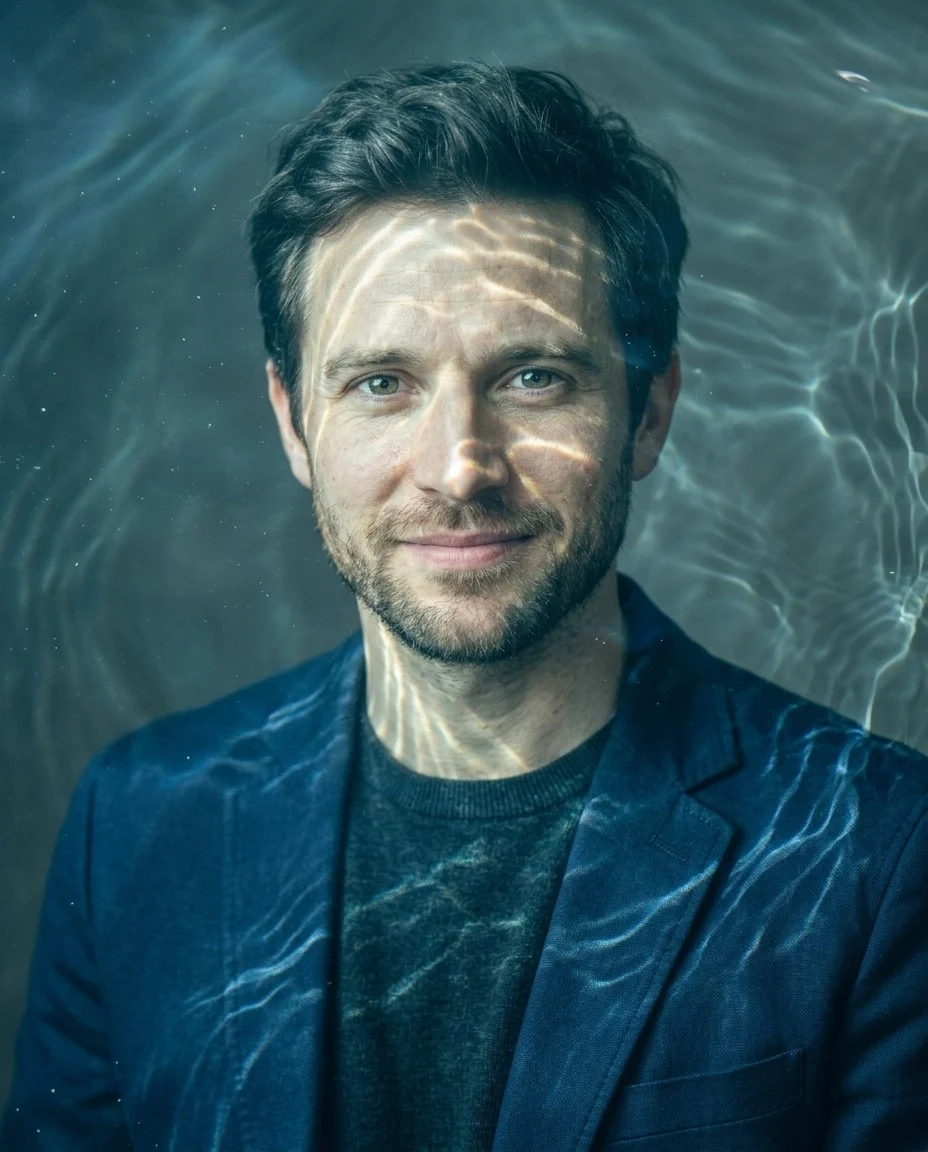
Create through-the-water style photos with AI water refraction, ripple distortion, caustic light, and blue-green shimmer.

Apply a liquify effect to a photo with AI for liquid warp, swirl, melt, ripple, and stretch distortion edits.
It transforms a real selfie or portrait into a ghost-style or zombie-style image by adding translucent spectral detail, a transparent ghost effect, haunted fog, eerie lighting, and paranormal atmosphere while trying to keep the same person recognizable.
Yes. The page is designed for photo-to-photo use, so the best starting point is a clear selfie or portrait with the face easy to see.
Yes. Zombie Filter is now handled as a preset inside Ghost Filter. Choose the Zombie Filter direction when you want pale undead skin, darker eyes, cracked texture, subtle horror makeup, and a Halloween-ready zombie portrait while preserving the original face.
Yes. The Haunted Glam and Classic Ghost directions are better when you want a cleaner ghost portrait, soft apparition effect, or transparent ghost effect for profile pictures, invitations, or lighter Halloween content.
Yes. Common uses include Halloween avatars, haunted event graphics, paranormal before-and-after carousels, short-form video covers, and themed creator thumbnails.
Yes. The showcase and use-case comparisons on this page are generated assets created with the same Ghost Filter prompt direction used by the tool.
Upload a portrait and turn it into a realistic ghost or zombie transformation for Halloween, creator content, haunted invites, and paranormal social posts.