
AI Product Poster Generator
→Upload one product image, enter the brand or product name and selling points, then create a premium FMCG advertising poster with readable packaging and billboard-style typography.
Twelve single-purpose AI effects — Color Splash, Film Grain, Vignette, Duotone, Tilt-Shift, Bokeh, Halftone and more. Each changes one visual dimension of your photo and leaves everything else untouched.
Add stylized overlays, blur, glow, motion, flash, and creative visual treatments to an existing image.
Turn one photo into a warm Thanksgiving image with playful turkey, modern pilgrim, or family Polaroid looks.
Upload one product image, enter the brand or product name and selling points, then create a premium FMCG advertising poster with readable packaging and billboard-style typography.
Upload a product bottle reference and create a premium commercial display with condensation, splashing liquid, ice, and ingredient-specific accents.
Turn Dad and dog photos into a personalized Dog Dad Father's Day card with a funny from-dog message and share-ready layout.
Upload one father portrait and create a warm First Father's Day card from photo with a hidden newborn face.
Upload one dad photo, add an optional name or short joke, and make a personalized dad card or funny Father's Day card from photo.
Turn one portrait into an AI birthday Polaroid photo with two instant frames, rose-gold number balloons, a date, and a handwritten message.
Turn one portrait into an AI fashion magazine cover with preserved likeness, editorial styling, custom masthead, backdrop, and cover lines.
Upload a father photo and child photo to create a personalized Super Dad superhero poster for Father's Day, family chats, stories, and prints.
Upload your photo, enter a team, choose a fan pose, and create a realistic World Cup stadium matchday fan photo from the stands.
Upload a photo, enter a name and age, then create a premium birthday number poster for party boards, social posts, keepsake prints, and milestone celebrations.
Upload one product reference and create a gigantic floating product scene that preserves shape, color, material, key details, and visible logo cues.
Upload one portrait and create a hyper-realistic underwater half-face close-up with one sharp eye, caustic light, bubbles, and wet skin texture.
Upload one male photo and create a seated premium business editorial studio portrait with refined menswear styling and preserved real identity.
Upload one person photo and create a hyper-realistic high-angle streetwear portrait on a crosswalk with preserved identity.
Upload your photo and create a dramatic black-and-white cinematic portrait with side light, round sunglasses, and skyline reflections.
Upload a person photo and create a photorealistic giant-at-the-football-stadium scene with forced perspective and a pinched soccer ball.
Upload one portrait and create a magazine-style fashion collage poster with black-and-white close-up panels and a full-color white-shirt editorial pose.
Upload your photo, enter a team, name, and number, then create a fashionable World Cup-style player poster with a custom football kit.
Upload your photo, add a team style, name, and jersey number, then create a personalized football jersey poster with a cinematic matchday stadium look.
Turn photos into cozy Autumn Heart Style edits with warm fall color, leaves, heart bokeh, and romantic seasonal glow.
Create through-the-water style photos with AI water refraction, ripple distortion, caustic light, and blue-green shimmer.
Apply neon style to photos online with AI using vivid glow, electric color lighting, reflective night ambience, and readable subject detail.
Apply a duotone effect to a photo online and turn portraits, products, posters, and social graphics into clean two-color edits.
Apply a VHS retro effect to photos online with AI scanlines, tape noise, color bleed, tracking glitches, and 90s camcorder texture.
Apply a soft pastel effect to photos online with airy color, creamy highlights, and dreamy pink, blue, mint, or lavender tones.
Add realistic light leaks, film burns, flare streaks, and warm analog glow to photos online with AI.
Apply a liquify effect to a photo with AI for liquid warp, swirl, melt, ripple, and stretch distortion edits.
Create a double exposure effect online by blending a portrait, product, or subject photo with a second image or preset exposure layer.
Apply a tilt-shift effect to photos online and turn city scenes, streets, landscapes, or products into miniature-style images.
Add a vignette effect to a photo online with soft dark edges, cinematic focus, and natural center detail.
Apply a cinematic flash effect to portraits, event photos, fashion shots, and product images.
Add realistic bokeh to photos online with AI for portrait depth, soft background blur, glowing lights, and product focus.
Use an AI Halloween Filter online to turn your photo into a spooky seasonal portrait in seconds.
Create mirror image effects from your photo with AI for twin portraits, reflection edits, and symmetrical posters.
Use a Funny Face Filter online to exaggerate noses, smiles, cheeks, eyes, and face shape for goofy photo edits.
Create a color splash effect from your photo and keep one key color vivid while the rest goes black and white.
Apply a glitch effect to your photo with AI and create RGB split, VHS static, and pixel-corrupted edits in seconds.
Pixelate photos and graphics online with AI for 8-bit, arcade, mosaic, and chunky block effects.
Blur an image online with AI for background depth, soft focus, privacy cleanup, or motion-style effects.
Add floating hearts, heart bokeh, and romantic love-filter effects to any photo with AI.
Add emoji stickers, face-covering emojis, and floating reaction overlays to any photo with AI.
Use an AI Ghost Filter online to turn your selfie into a realistic haunted, ghost, or zombie portrait in seconds.
Blend two images into one polished AI result online, from seamless composites to double exposure style edits.
Try the viral Bold Glamour Filter look on your own selfie with AI before you post or recreate the makeup.
Add dreamy rainbow light, prism reflections, and holographic glow to portraits and photos with an AI Rainbow Air Filter.
Add realistic film grain, analog texture, and controlled image noise to photos online with AI.
Add a realistic Santa hat to any photo online with AI in seconds.
Twelve single-purpose AI effects — Color Splash, Film Grain, Vignette, Duotone, Tilt-Shift, Bokeh, Halftone and more. Each changes one visual dimension of your photo and leaves everything else untouched.
 OriginalSplash
Upload one product image, enter the brand or product name and selling points, then create a premium FMCG advertising poster with readable packaging and billboard-style typography.

Upload a product bottle reference and create a premium commercial display with condensation, splashing liquid, ice, and ingredient-specific accents.

Upload one product reference and create a gigantic floating product scene that preserves shape, color, material, key details, and visible logo cues.
Create a color splash effect from your photo and keep one key color vivid while the rest goes black and white.

Add realistic light leaks, film burns, flare streaks, and warm analog glow to photos online with AI.

Apply a tilt-shift effect to photos online and turn city scenes, streets, landscapes, or products into miniature-style images.

Apply a VHS retro effect to photos online with AI scanlines, tape noise, color bleed, tracking glitches, and 90s camcorder texture.

Apply a cinematic flash effect to portraits, event photos, fashion shots, and product images.

Blur an image online with AI for background depth, soft focus, privacy cleanup, or motion-style effects.
Add stylized overlays, blur, glow, motion, flash, and creative visual treatments to an existing image.

Turn one photo into a warm Thanksgiving image with playful turkey, modern pilgrim, or family Polaroid looks.
Upload one product image, enter the brand or product name and selling points, then create a premium FMCG advertising poster with readable packaging and billboard-style typography.
Upload a product bottle reference and create a premium commercial display with condensation, splashing liquid, ice, and ingredient-specific accents.

Turn Dad and dog photos into a personalized Dog Dad Father's Day card with a funny from-dog message and share-ready layout.

Upload one father portrait and create a warm First Father's Day card from photo with a hidden newborn face.

Upload one dad photo, add an optional name or short joke, and make a personalized dad card or funny Father's Day card from photo.

Turn one portrait into an AI birthday Polaroid photo with two instant frames, rose-gold number balloons, a date, and a handwritten message.

Turn one portrait into an AI fashion magazine cover with preserved likeness, editorial styling, custom masthead, backdrop, and cover lines.

Upload a father photo and child photo to create a personalized Super Dad superhero poster for Father's Day, family chats, stories, and prints.

Upload your photo, enter a team, choose a fan pose, and create a realistic World Cup stadium matchday fan photo from the stands.

Upload a photo, enter a name and age, then create a premium birthday number poster for party boards, social posts, keepsake prints, and milestone celebrations.
Upload one product reference and create a gigantic floating product scene that preserves shape, color, material, key details, and visible logo cues.

Upload one portrait and create a hyper-realistic underwater half-face close-up with one sharp eye, caustic light, bubbles, and wet skin texture.

Upload one male photo and create a seated premium business editorial studio portrait with refined menswear styling and preserved real identity.

Upload one person photo and create a hyper-realistic high-angle streetwear portrait on a crosswalk with preserved identity.

Upload your photo and create a dramatic black-and-white cinematic portrait with side light, round sunglasses, and skyline reflections.

Upload a person photo and create a photorealistic giant-at-the-football-stadium scene with forced perspective and a pinched soccer ball.

Upload one portrait and create a magazine-style fashion collage poster with black-and-white close-up panels and a full-color white-shirt editorial pose.

Upload your photo, enter a team, name, and number, then create a fashionable World Cup-style player poster with a custom football kit.

Upload your photo, add a team style, name, and jersey number, then create a personalized football jersey poster with a cinematic matchday stadium look.

Turn photos into cozy Autumn Heart Style edits with warm fall color, leaves, heart bokeh, and romantic seasonal glow.
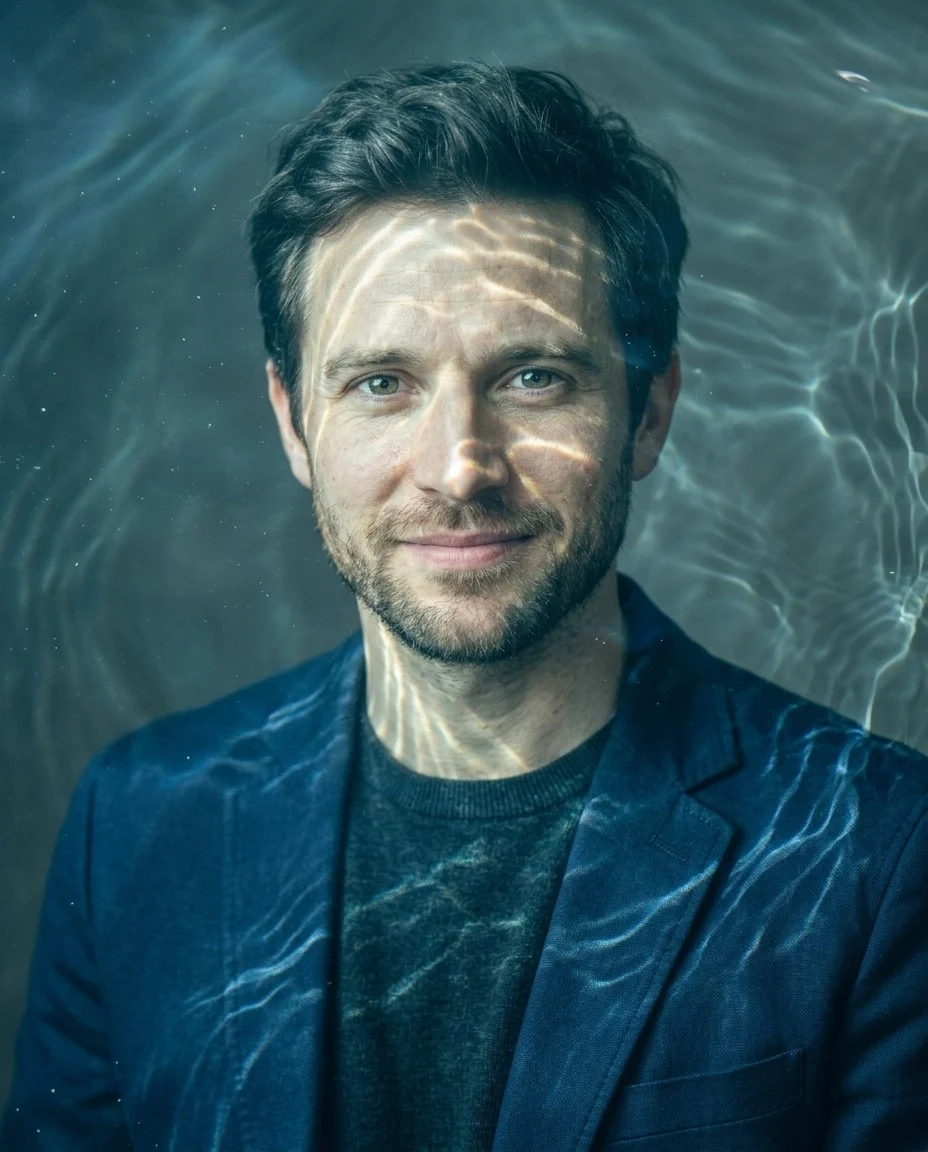
Create through-the-water style photos with AI water refraction, ripple distortion, caustic light, and blue-green shimmer.

Apply neon style to photos online with AI using vivid glow, electric color lighting, reflective night ambience, and readable subject detail.

Apply a duotone effect to a photo online and turn portraits, products, posters, and social graphics into clean two-color edits.
Apply a VHS retro effect to photos online with AI scanlines, tape noise, color bleed, tracking glitches, and 90s camcorder texture.

Apply a soft pastel effect to photos online with airy color, creamy highlights, and dreamy pink, blue, mint, or lavender tones.
Add realistic light leaks, film burns, flare streaks, and warm analog glow to photos online with AI.

Apply a liquify effect to a photo with AI for liquid warp, swirl, melt, ripple, and stretch distortion edits.

Create a double exposure effect online by blending a portrait, product, or subject photo with a second image or preset exposure layer.
Apply a tilt-shift effect to photos online and turn city scenes, streets, landscapes, or products into miniature-style images.

Add a vignette effect to a photo online with soft dark edges, cinematic focus, and natural center detail.
Apply a cinematic flash effect to portraits, event photos, fashion shots, and product images.

Add realistic bokeh to photos online with AI for portrait depth, soft background blur, glowing lights, and product focus.

Use an AI Halloween Filter online to turn your photo into a spooky seasonal portrait in seconds.

Create mirror image effects from your photo with AI for twin portraits, reflection edits, and symmetrical posters.

Use a Funny Face Filter online to exaggerate noses, smiles, cheeks, eyes, and face shape for goofy photo edits.
Create a color splash effect from your photo and keep one key color vivid while the rest goes black and white.

Apply a glitch effect to your photo with AI and create RGB split, VHS static, and pixel-corrupted edits in seconds.

Pixelate photos and graphics online with AI for 8-bit, arcade, mosaic, and chunky block effects.
Blur an image online with AI for background depth, soft focus, privacy cleanup, or motion-style effects.

Add floating hearts, heart bokeh, and romantic love-filter effects to any photo with AI.

Add emoji stickers, face-covering emojis, and floating reaction overlays to any photo with AI.

Use an AI Ghost Filter online to turn your selfie into a realistic haunted, ghost, or zombie portrait in seconds.

Blend two images into one polished AI result online, from seamless composites to double exposure style edits.

Try the viral Bold Glamour Filter look on your own selfie with AI before you post or recreate the makeup.

Add dreamy rainbow light, prism reflections, and holographic glow to portraits and photos with an AI Rainbow Air Filter.

Add realistic film grain, analog texture, and controlled image noise to photos online with AI.

Add a realistic Santa hat to any photo online with AI in seconds.